You pull up to the pump in Dubai. The attendant asks how you want to pay. You can pay for petrol UAE stations in cash, by card, by phone, or with a fuel wallet. Each way works, but each way fits a different driver. BoloSara24 checked the official ADNOC Wallet page on 29 November 2026. Every fact here comes from that page or another official page.
Quick Answer: You can pay for petrol UAE pumps with cash or a bank card. Apple Pay or Google Pay also work. So do the ADNOC Distribution app and an ADNOC Wallet token. ADNOC Wallet works with your Emirates ID, a smart tag on your car, your phone, or an ADNOC Plus card. You can top up the wallet in the app or on the wallet portal. You can also top it up at any ADNOC station with cash or a bank card.
Pay for petrol UAE with cash or a card
Cash still works at every UAE station. Tell the attendant the amount in dirhams, hand over the cash, and take the change and the receipt. Cash suits drivers who want a hard limit on each fill. A driver who sets aside AED 150 a week for fuel can hand over that amount and stop there.
Bank cards work at the pump too. Most stations take Visa and Mastercard debit and credit cards. Tap the card on the reader or hand it to the attendant. The pump screen shows the total before you pay. Check the total on the screen, then check the card receipt. The two must match.
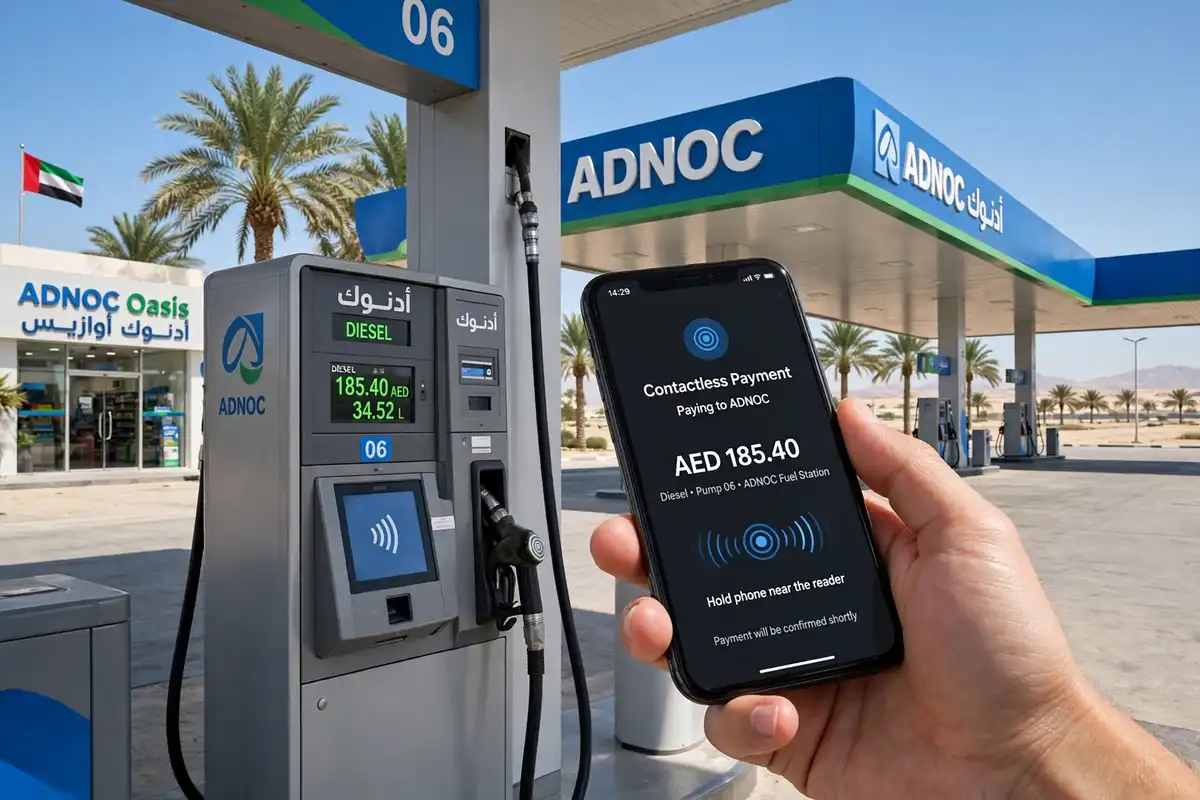
Phone wallets are just as easy. Apple Pay, Samsung Pay and Google Pay all work at UAE pumps that take contactless cards. Hold your phone near the reader and confirm with your fingerprint or face. The payment clears in seconds. You don’t need to carry a wallet at all on that trip.
Tip: Keep one card and some cash in the car. A phone with a dead battery can’t pay by phone, and a card reader can fail. A backup way to pay turns a bad stop into a short delay.
Pay for petrol UAE with the ADNOC app
The ADNOC Distribution app lets you pay for fuel from your phone. Park next to the pump, open the app, and pick “pay fuel”. Confirm the station, pick your pump, pick the fuel type and the amount, then start to fill up. The app takes the money from your linked card or wallet. You don’t hand a card to anyone.
Mobile Pay is the app token for this. Mobile Pay is the default token for a person who logs in to the ADNOC Distribution app. The ADNOC Wallet page states this. You pick the fuel type and the amount in the app before you fill up. The app shows the station name, so check it twice. A wrong station pick can charge the wrong pump.
The app also shows live fuel prices for the month. In November 2026 Super 98 costs AED 4.16 a litre. Special 95 costs AED 4.04. E-Plus 91 costs AED 3.97. Diesel costs AED 4.75. You can see the price before you drive to the station. That helps when you plan a long trip and want the cost in advance.
Omar lives in Abu Dhabi and drives a family SUV. He sets up the ADNOC app once with his car and his card. Now each fill takes him two taps on his phone. He fills up twice a week, and he never queues at the cash desk now. His wife uses the same account on her phone when she takes the car.
Do you still queue to pay at the desk, or do you pay from your phone at the pump? The app saves a few minutes on each stop, and those minutes add up over a month.
ADNOC Wallet tokens
ADNOC Wallet is a pre-paid account for fuel and shop buys at ADNOC stations. The official ADNOC Wallet page lists four tokens that link to one wallet account. Each token fits a different habit.
| Token | How it works | Fuel buys | Shop buys |
|---|---|---|---|
| Emirates ID | Your ID links to the wallet at sign-up | Yes | Yes |
| Smart tag | A small device on the car talks to the pump nozzle | Yes | No |
| Mobile Pay | Pay in the ADNOC app on your phone | Yes | No |
| ADNOC Plus card | A card linked to the wallet account | Yes | Yes |
The Emirates ID is the main token for a person, the ADNOC page states. You link it to your wallet account when you sign up. Then you can pay with your ID at the pump and in the shop. The smart tag is a wireless device that wakes up when it touches the fuel nozzle. It takes the total from your wallet when the fill ends. Smart tag tokens work for fuel only.
You can book a smart tag fitting slot in the ADNOC Distribution app. A person books it in a few steps, the page states. Firms book it on the Smart Wallet portal. The ADNOC Plus card works for fuel and shop buys. Both people and firms can ask for one on the smart wallet portal.
Note: Top up your wallet before a long trip. The ADNOC page states the top-up ways. You can top up in the app or on the wallet portal. You can also top up at any ADNOC station with cash or a bank card. Auto top-up is also in the app and the portal, and you set your own limit for it.
ENOC, EPPCO and Emarat ways to pay
Dubai drivers often stop at ENOC or EPPCO stations. ENOC runs the ENOC Pay app, and it shows the live fuel price and deals at its stations. You pay in the app, and the pump starts. The price is the same national rate as ADNOC. In November 2026 Special 95 costs AED 4.04 a litre at ENOC, just as it does at ADNOC.
Emarat stations take cash and cards at the pump. No matter the brand, you can pay for petrol UAE pumps with cash or a card. Many Emarat forecourts also take phone wallets. The rule is the same at each brand. The board price is the national price. The pump screen total must match it. Check both before you pay.
A driver who fills up at different brands should keep each brand app on the phone. One app can’t pay at a rival brand pump. Two apps take little space, and each one shows its own station map. Pick the app that matches the sign above the pump.
Example: Laila drives from Dubai to Ras Al Khaimah for a family lunch. She fills up at ENOC on the way out and at ADNOC on the way back. She pays with the ENOC Pay app first, then with the ADNOC app. Both fills cost AED 4.04 a litre for Special 95. BoloSara24 checked the November rates for this example on the WAM page. The brand changed. The price did not.
Pay at the pump step by step
First, read the board. The board lists the price per litre for each grade. In November 2026 the board should show AED 4.16 for Super 98. It should show AED 4.04 for Special 95. E-Plus 91 should show AED 3.97. Diesel should show AED 4.75.
Second, pick your grade. Your car manual names the right grade. Tell the attendant the grade and the amount. You can ask for a full tank or a set amount in dirhams.
Third, pick your way to pay. Cash, card, phone wallet, app or fuel wallet all work to pay for petrol UAE pumps. Tell the attendant your pick before the fill starts when you pay by cash or card at the desk.
Fourth, watch the pump screen. The screen shows litres and dirhams as the fuel flows. A 40-litre fill of Special 95 costs AED 161.60 in November. A 50-litre fill costs AED 202.00. Check the maths when you want to be sure.
Fifth, take the receipt. The receipt shows the grade, the litres, the price per litre and the total. It also shows the last four digits of the card when you pay by card. Keep it till your bank statement comes in. A photo on your phone works too.
What to do when a payment fails
A card can fail at the pump for a plain reason. The bank may block a big fuel buy as a fraud check. The card may have hit its daily limit. The reader may have lost its link. Don’t panic. Try the card a second time, then try a second card or cash.
An app payment can fail when the phone loses signal. Move to a spot with a better signal and try again. Check that the app shows the right station and pump. A wrong pump pick stops the payment from going through.
A wallet with no funds stops the fill too. Top up the wallet in the app before you drive to the pump. Auto top-up stops this from happening at all. Set a limit you can afford, and the wallet tops itself up when the funds run low.
Call ADNOC on 800 300 when the app or wallet fails and you can’t fix it at the station. The number is on the ADNOC app store page. Note the station name, the pump number and the time. The support team can trace the failed try with those three facts.
Important: Never drive off with unpaid fuel. A failed payment is still a debt at the station. Sort it out at the desk before you leave. The station can hold your plate number and report the unpaid fill.
Common mistakes to avoid
Many drivers pay the dearest grade and think it helps the engine. The grade number is about octane, not cleaning power. Your manual names the right grade. Trust the manual.
Some drivers leave the wallet empty and find out at the pump. Top up the wallet the night before a long trip. A full wallet means a fast stop.
Other drivers pay without a look at the board. A board price that differs from the official rate is a sign to ask the staff about it. BoloSara24 readers who check the board each time never pay a wrong price. BoloSara24 readers who check the board each time never pay a wrong price.
To cut your fuel bill, read our guide to the best credit card for fuel in the UAE. Regular car service in the UAE also helps, since a well-kept engine burns less fuel. When you want the latest rates first, read how to check petrol price UAE rates. That page shows the official pages to open. Bad weather changes fuel use too, so read how to drive safely in UAE rain before a wet trip. If your car stops on the road, read what to do when your car breaks down in the UAE. That page tells you the next steps.
Frequently Asked Questions
Can I pay for petrol UAE stations with cash?
Yes. Cash works at every UAE station. Tell the attendant the amount, hand over the cash, and take the change and the receipt.
Can I pay for petrol UAE pumps with my phone?
Yes. Apple Pay, Samsung Pay and Google Pay work at pumps that take contactless cards. The ADNOC app and the ENOC Pay app also let you pay from your phone.
What is ADNOC Wallet and how do I use it?
ADNOC Wallet is a pre-paid account for fuel and shop buys at ADNOC stations. It works with your Emirates ID, a smart tag, Mobile Pay in the app, or an ADNOC Plus card.
How do I top up my ADNOC Wallet?
Top it up in the ADNOC Distribution app or on the wallet portal. You can also top it up at any ADNOC station with cash or a bank card. Auto top-up is also in the app and the portal.
Is the fuel price the same at ADNOC and ENOC?
Yes. The Fuel Price Committee sets one national price for each grade. Special 95 costs AED 4.04 a litre at both brands in November 2026.
What should I do when my card fails at the pump?
Try the card a second time, then try a second card or cash. Check with your bank when the card keeps failing. Never drive off with unpaid fuel.
Official Sources
ADNOC Distribution: ADNOC Wallet – The official page for wallet tokens, Mobile Pay steps and top-up ways.
WAM: UAE fuel prices for November 2026 announced – The official decision of 31 October 2026 with the November prices.
Disclaimer: Payment ways and app features can change. Check the official ADNOC page or your fuel firm app before you rely on one way to pay. BoloSara24 is an independent guide. It is not linked to ADNOC, ENOC, Emarat or any government body.
Last Updated: 29 November 2026.