What You Need to Know
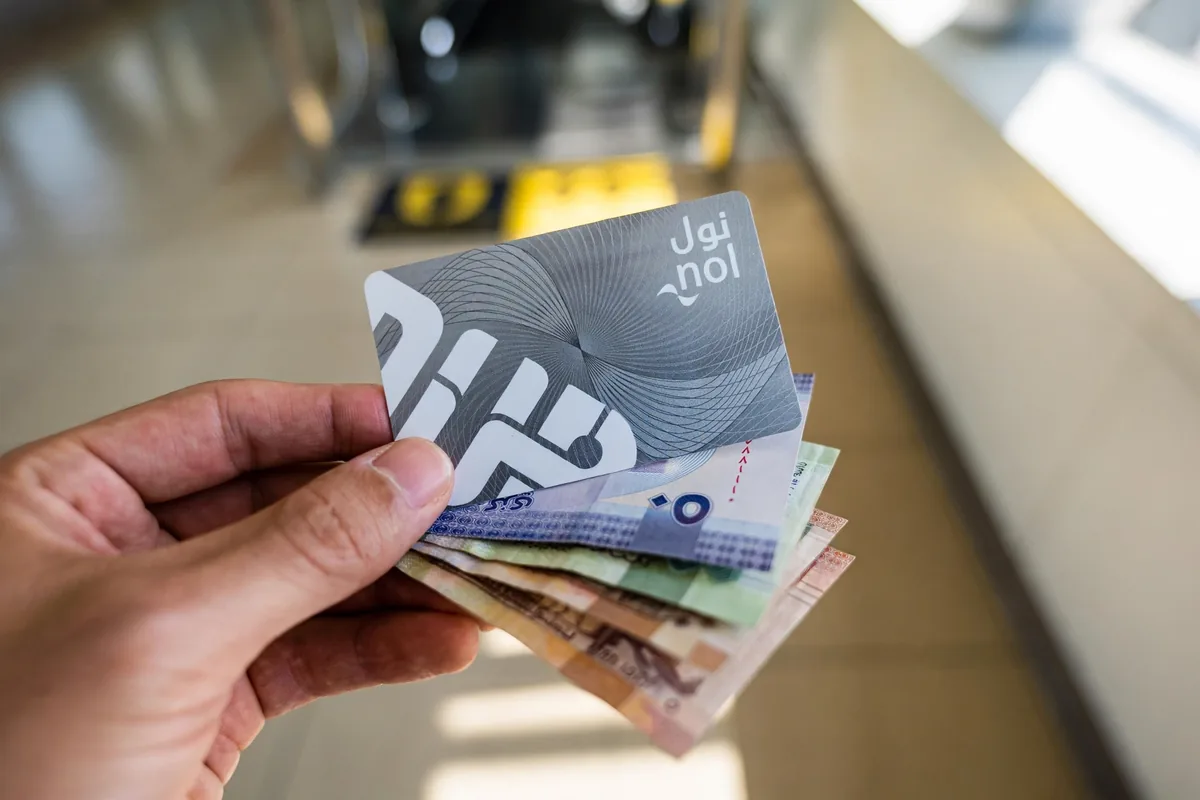
A Nol card refund UAE riders claim is simple when the card is registered. RTA pays the unused balance back in cash or moves it to a new card. The refund takes 4 working days. You get an SMS on the 5th day. This guide walks through each step, each fee and each deadline.
The BoloSara24 team read the RTA refund service page live on 29 November 2026. Every figure in this guide comes from that page. The page was last updated on 5 November 2026. Figures that RTA does not publish are left out of this guide.
Quick Answer: Log in to rta.ae or Nol Pay. Pick Refund, then Refund Nol Card Balance. Enter your Tag ID and PIN. Pick cash or transfer. Wait 4 working days for the SMS.
Who Can Claim a Refund
RTA refunds only cards it can link to a person. A registered Silver card qualifies. A registered Gold card qualifies. A Personal card qualifies. The Personal card is the blue card. It is registered by design. An anonymous Silver or Gold card does not qualify. A Red Ticket does not qualify. RTA cannot pay money back to a card with no name on it.
Your card must be valid and active too. RTA says you can ask for a card cancellation and refund only if your card is valid and active. A card that expired more than a year ago falls outside the refund window. RTA accepts refund claims for lost, damaged or expired cards within 1 year of the expiry date.
Laila lives in Al Barsha. She bought a Silver card at Mall of the Emirates station and registered it the same night. A year later she left Dubai for good. Her card held AED 85. She claimed it online and got cash at the station. Her cousin used an anonymous card for two years. He left with AED 60 still on it. He got nothing back. Registration made the difference.
Tip: Register your card before you need a refund. Link it to your Emirates ID and your mobile number on the RTA site. RTA sends a 4 digit PIN by SMS. Save that PIN. You need it for every refund claim.
Nol Card Refund UAE on the RTA Site
The RTA site is the main route. It works for every refund reason. Follow the steps in order.
First, log in to the RTA site with UAE Pass or your RTA account. Pick Refund on the dashboard. Click Refund Type, then Refund Nol Card Balance. Enter the Nol card Tag ID and click Next. The Tag ID is the 10 digit number on the back of the card.
Next, pick the reason for the refund. The reasons are faulty card, lost card, damaged card, expired card, pending top up balance and unused travel pass. Pick the one that fits your card. Then pick the refund method. Cash or Nol balance transfer. Enter your PIN code and confirm the application.
RTA creates a card blocking request at this point. Your old card stops working. The refund is approved after 4 working days. You get an SMS with the approval. Share the Tag ID or the first SMS with Metro station staff when you collect cash.
A cash refund has a hard limit. RTA pays cash only if the refund amount is less than AED 100. A bigger amount must move to a new card by balance transfer. The transfer is free. The cash fee is 2.5 percent or AED 5, whichever is higher. RTA lists both fees on its refund page.
How to Claim in the Nol Pay App
The Nol Pay app suits people who keep the card in hand. It uses the phone NFC reader. The steps differ a little from the site.
Log in with UAE Pass. Tap Refund Nol Card Balance. Place the Nol card on the NFC spot on the back of your phone. You can also pick a card linked to your RTA account. Pick the reason for the refund. Then pick Transfer to Nol Card or Collect Cash.
For a transfer, place the card you want the money moved to on the NFC spot. You can also pick one of the cards linked to your account. Confirm and submit. RTA creates the blocking request. The refund is approved after 4 working days. You get the approval by SMS.
For cash, share your Tag ID or the first SMS with Metro station staff. Collect the cash at a station named in the SMS. RTA lists six cash collection stations on its refund page. They are Centrepoint, Union, BurJuman, Mall of the Emirates, Al Qiyadah and Sobha Realty. Wait for the confirmation SMS before you go to the station. Staff can’t pay you without it.
Note: A virtual Nol card follows one path only. RTA says you can refund a virtual Nol card through the Nol Pay app only. The virtual card lives on Samsung and Huawei phones and Huawei watches. The site can’t refund it.
Claim at a Metro Station
A Metro ticket office can pay small cash refunds at once. This route suits a card you still hold in your hand. It doesn’t suit a lost card.
Go to a ticket office machine at any Metro station. Hand the Nol card to the station agent. The agent checks that the card is valid and active. The agent checks the balance too. The balance must be AED 100 or less. A bigger balance must go through the RTA site or the Nol Pay app.
If the balance is AED 100 or less, the agent pays cash at once. A service fee of AED 5 applies at the station. The service time is instant. No SMS wait. No 4 day wait. Keep the receipt.
Bilal had AED 45 left on his registered Silver card. He took the card to Union station. The agent checked it and paid AED 40 in cash. The AED 5 fee came off the refund. Bilal walked out with the money in five minutes. His brother had AED 140 on his card. The agent sent him to the RTA site. The station cannot pay cash above AED 100.
Nol Card Refund UAE Fees, Limits and Deadlines
The BoloSara24 table puts every RTA figure in one place. Read it before you pick cash or transfer.
| Item | RTA figure |
|---|---|
| Refund approval time | 4 working days |
| Approval SMS | 5th day after you apply |
| Cash refund fee | 2.5 percent or AED 5, whichever is higher |
| Balance transfer fee | Free |
| Cash refund limit | Less than AED 100 only |
| Station cash refund | AED 100 or less, AED 5 fee, instant |
| Cash collection window | 30 days from approval |
| Transfer activation window | 180 days from approval |
| Refund claim window | Within 1 year of card expiry |
| Card block after report | Within 48 hours |
Two deadlines catch people out. Collect a cash refund within 30 days of approval. RTA cancels the request after 30 days. Activate a transferred balance within 180 days of approval. Tap the new card on an online device to activate it. A Metro gate works. A parking machine works. The Nol Pay app works. Tap it 45 minutes to 4 hours after the approval SMS.
You get two SMS messages from RTA. The first confirms that RTA got your request. It holds the Tag ID of the card. The second comes after approval. It holds your reference number and the collection steps for cash or the activation steps for a transfer. Keep both messages till the money is in your hand.
Do you travel with a travel pass? BoloSara24 readers ask about travel passes a lot. A travel pass refund has its own rules. RTA refunds an unused travel pass on a pro rata basis. The card is blocked during the process. RTA doesn’t refund the trips you took on a free travel day. You can’t refund a 7 day travel pass on an anonymous card once it is active. You can refund a travel pass balance only on registered and Personal cards.
Mistakes That Delay a Nol Card Refund UAE Claim
BoloSara24 sees four mistakes delay most refunds. Each one is easy to dodge.
First, people apply before they replace a lost card. RTA accepts refund requests for lost cards only after you apply for a replacement or renewal. Replace the card first. Then claim the refund. Read the replace lost Nol card guide for the replacement steps.
Second, people go to the station before the SMS arrives. Staff cannot pay without the approval SMS. Wait for the second SMS. Then go to a station named in it.
Third, people pick cash for a big balance. RTA pays cash only under AED 100. A claim for AED 200 in cash will fail. Pick the transfer for a big balance. It costs nothing.
Fourth, people forget the 30 day cash window. A cash refund not collected in 30 days is cancelled. Set a phone reminder for the day the SMS arrives. Collect the cash in the same week.
Check your balance before you claim. Read the check Nol card balance guide to see the live figure on your card. The site figure can lag by up to 48 hours. A machine reads the live balance from the card chip. Read the top up Nol card online guide if you plan to load the new card after the refund. The Dubai Metro Nol card guide lists each card type and its price. The Dubai Metro fare zones guide shows what each trip costs. The Dubai Metro timings guide lists first and last trains if you head to a station late at night.
Frequently Asked Questions
How long does a Nol card refund UAE claim take?
RTA approves the refund after 4 working days. You get an SMS on the 5th day. A station cash refund for AED 100 or less is instant. No wait applies there.
Can I get a cash refund for any amount?
No. RTA pays cash only if the refund amount is less than AED 100. A bigger amount must move to a new card by balance transfer. The transfer is free.
What fee does RTA charge for a cash refund?
The fee is 2.5 percent or AED 5, whichever is higher. A balance transfer to another card is free. A station cash refund costs a flat AED 5.
Can I claim a refund on an anonymous Nol card?
No. RTA refunds only registered or Personal cards. An anonymous card has no name on it. A Red Ticket does not qualify for a refund either.
Where do I collect the cash refund?
RTA names the stations in the approval SMS. The RTA page lists six stations: Centrepoint, Union, BurJuman, Mall of the Emirates, Al Qiyadah and Sobha Realty. Take your Tag ID from the first SMS.
What happens if I miss the 30 day cash window?
RTA cancels the refund request. You must start again if the claim window still allows it. Collect the cash in the same week the SMS arrives.
Official Sources
– RTA Nol card refund service page: Full refund steps for the site, Nol Pay app and ticket office machines, fees, 4 working day time, 30 day and 180 day limits, and the six cash stations. – RTA Nol How page: How to block a lost Nol card and apply for a refund, and how to register a Silver or Gold card. – RTA Choose Nol card page: Silver card AED 25 with AED 19 credit, Personal card AED 70 with AED 20 credit, and maximum balances for anonymous and registered cards.
Disclaimer: BoloSara24 is an independent guide. It has no link with the UAE government, RTA, or any bank. Rules and fees change. Confirm the latest steps and fees on the RTA site or by calling 800 90 90 before you apply. This guide is general information only. It is not legal, financial, or immigration advice.
Last Updated: 29 November 2026.