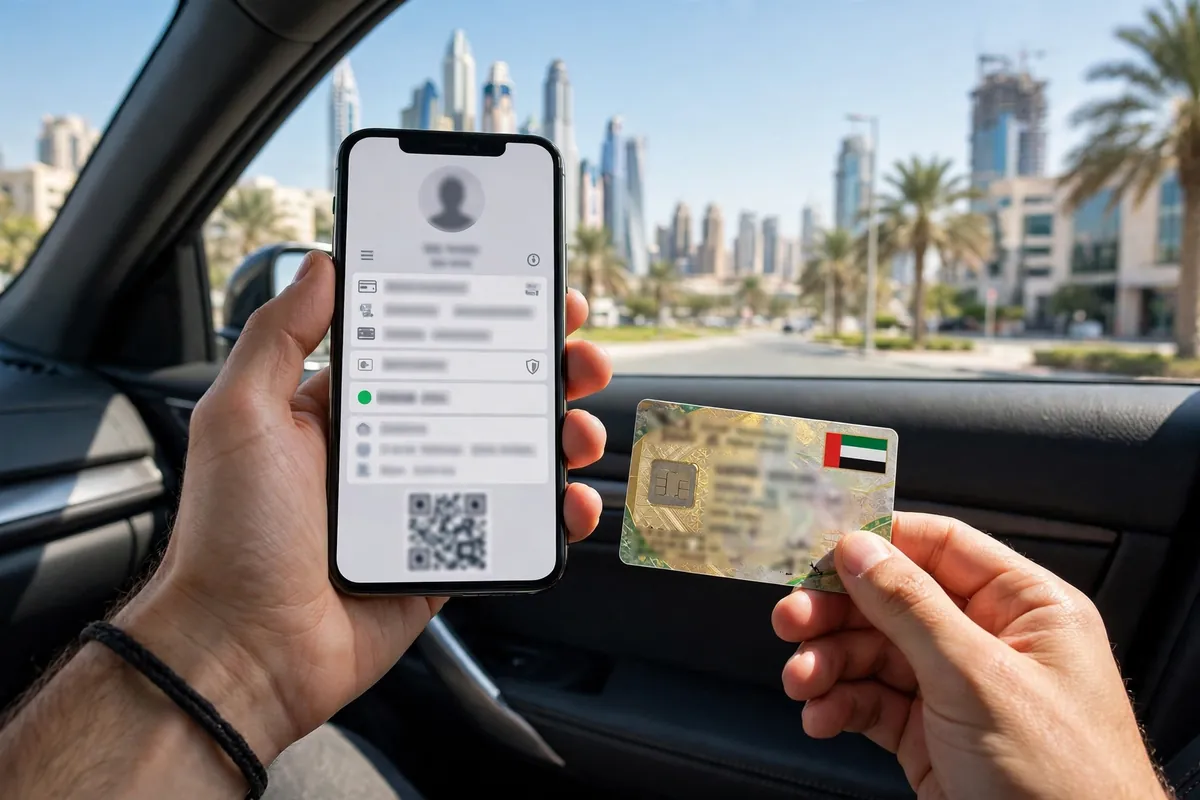
You need your licence number. It is not on you. Your Emirates ID is in your pocket. Can you check UAE driving licence by Emirates ID? Yes. Your licence links to your Emirates ID in the government system. The right app shows your licence number, its categories and its expiry date after one login.
Every UAE resident carries two cards that talk to each other. The Emirates ID proves who you are. The driving licence proves you can drive. The traffic file joins them. Sign in with UAE Pass and the system pulls your licence from your ID. Dubai, Abu Dhabi and the other emirates each use their own app. The steps differ by emirate. It also shows what the check tells you and what to do when the screen shows nothing.
Quick Answer: To check UAE driving licence by Emirates ID, open the app for the emirate that issued your licence. Dubai licences show in the RTA Dubai app under My Docs. Abu Dhabi licences show in TAMM. Licences from Sharjah and Ajman show in the MOI UAE app. So do licences from Ras Al Khaimah. Umm Al Quwain and Fujairah licences show there too. Sign in with UAE Pass. Your Emirates ID pulls up your licence.
Your Emirates ID and Your Licence Are Linked
The link starts the day your licence is issued. The licensing authority records your licence against your traffic file number. Your traffic file number ties to your Emirates ID number. One ID opens the whole file. That is why the check works with your ID alone. You don’t need the plastic card in your hand.
The link also works the other way. An expired Emirates ID can block the licence check. The system sees an expired ID and stops. Renew the ID first. Then check the licence. A mismatch in your name or date of birth can also block the check. The name on your licence must match the name on your Emirates ID. A missing middle name on one record breaks the match. Fix it at the source.
Your licence is a federal licence. It works for driving in all seven emirates, whichever emirate issued it. The check is different. The check happens on the system of the emirate that issued the licence. A Dubai licence sits on RTA systems. An Abu Dhabi licence sits on TAMM. A Sharjah licence sits on MOI systems. Pick the wrong app and you will see nothing. The app isn’t broken.
Do you know which emirate issued your licence? Look at the card. The issuing authority prints on it. Dubai cards say RTA. Abu Dhabi cards say Abu Dhabi Police. Northern emirate cards carry the Ministry of Interior mark.
Check UAE Driving Licence by Emirates ID in Dubai
Dubai licences live with the RTA. Two RTA tools show your licence. The RTA Dubai app is the fast one. The RTA website is the second. Both use your Emirates ID.
Open the RTA Dubai app on your phone. Sign in with UAE Pass. UAE Pass is the official digital ID for UAE government services. It uses your Emirates ID and your phone. Read our guide to the RTA app in UAE if you have not set it up yet. Tap My Docs on the home screen. Your digital driving licence appears there. It shows the licence number, the vehicle categories and the expiry date. It also shows a QR code. Police and rental desks can scan it. The digital licence is a real licence. It’s valid where the card works.
No app? Use the RTA website. Open rta.ae. Go to Services, then Driving License Services. Pick License Status Check. The page asks for your driving licence number, your date of birth and your Emirates ID. Enter all three. Submit. The screen shows your licence validity, expiry date and fines. This open access check works without a full login. It needs the licence number as well as the ID. If you do not know the licence number, use the app route instead. The app pulls the number from your ID for you.
The RTA site also runs a Document Validation Service. It checks a Dubai licence or certificate from its reference number and traffic file number. Employers use it to verify a licence a job seeker hands them. It doesn’t show fines. It confirms the document is real.
Tip: Save your licence number in your phone notes the first time you see it. The number never changes across renewals. One note saves the next search.
Check UAE Driving Licence by Emirates ID in Abu Dhabi
Abu Dhabi licences live on TAMM. TAMM is the Abu Dhabi government services portal. Open the TAMM app or tamm.abudhabi. Sign in with UAE Pass. Open My Tamm. Your driving licence shows there with its expiry date. TAMM also shows your fines and black points on the same screen. Abu Dhabi Police runs its own driving licence services too. Its portal also takes your Emirates ID or licence number. It shows the licence type and issue date. It shows the expiry date and current status too.
Licences from Sharjah and Ajman live with the Ministry of Interior. Ras Al Khaimah licences live there too. So do licences from Umm Al Quwain and Fujairah. Open the MOI UAE app or moi.gov.ae. Sign in with UAE Pass. Go to Traffic Services. Pick Driving License Information. Enter your traffic file number or licence number. The screen shows your licence status, validity and linked fines. The MOI system also feeds the Emirates Vehicle Gate. Many drivers use it for fines and vehicle services in the northern emirates.
The table below sums up the right channel for each emirate.
| Licence issued in | App or website | Login |
|---|---|---|
| Dubai | RTA Dubai app, rta.ae | UAE Pass or RTA account |
| Abu Dhabi | TAMM app, tamm.abudhabi | UAE Pass |
| Sharjah, Ajman, RAK, UAQ, Fujairah | MOI UAE app, moi.gov.ae | UAE Pass or MOI account |
Fatima holds an Abu Dhabi licence. She moved to Dubai in 2025. She opened the RTA Dubai app first. It showed nothing. Her licence lives on TAMM because Abu Dhabi issued it. She opened TAMM with UAE Pass. Her licence appeared at once. The emirate on the card decides the app.
What the Licence Check Shows You
The check shows more than a date. Read the full screen. It tells you five things. The licence number. The categories you can drive. The issue date and the expiry date. The current status: active, expired or suspended. The fines and black points tied to your traffic file.
The categories matter. A licence can carry car, motorcycle, heavy vehicle or bus categories. A missing category means you cannot drive that vehicle. Check the categories after every renewal. If one drops off, call the licensing authority at once.
The status matters most. Active means you can drive today. Expired means you must renew before you drive. Our guide to checking your UAE driving licence status explains each status in detail. Suspended means the authority stopped your licence.
Black points sit on the same screen in most apps. The UAE gives black points for traffic offences. Collect 24 black points and your licence is suspended. Check your points every few months. Our guide to checking black points on your UAE driving licence explains the points list and how points clear.
Fines show too. The licence check and the fine check share the same traffic file. An unpaid fine can block a renewal. Pay fines before you renew. If your licence already expired, read our guide to renewing an expired UAE driving licence. A lost card is a different job. Our guide to replacing a lost driving licence covers that case.
When the Check Shows Nothing
A blank screen scares people. Most blank screens have a dull cause. Work through this list before you panic.
First, check the app. Are you in the right app for your issuing emirate? A Dubai licence will not show on TAMM. An Abu Dhabi licence will not show on the RTA app. Switch apps first. Second, check your login. Did you sign in with the same UAE Pass account tied to your Emirates ID? A second UAE Pass account under a different number shows a different file. Third, check your Emirates ID. Is it valid? An expired ID blocks the pull. Renew it and try again.
Fourth, check your traffic file. New residents sometimes hold a licence under an old traffic file number. A file opened years ago under a visit visa may not link to the new Emirates ID. Visit a Customer Happiness Centre with your Emirates ID and your licence. Staff can join the files. Fifth, check the network. Government apps fail on weak data. Switch to Wi-Fi and try again.
If none of these fix it, call the authority. RTA runs a call centre on 800 9090. Keep your Emirates ID number ready. A visit to a centre solves most stubborn cases in one trip. Bring your Emirates ID and any licence papers you hold.
Note: Never type your Emirates ID into a random lookup website. Many unofficial sites ask for your ID number and promise a licence check. They are not official. They can harvest your ID number. Use only RTA, TAMM, MOI and Dubai Police channels. The BoloSara24 team checked the official channels on 29 November 2026. The steps above match the RTA, TAMM and MOI pages.
Licence Check for Employers, Rental Desks and Family
Sometimes someone else needs to check your licence. An employer hiring a driver. A rental desk handing over a car. A family member helping an elderly parent. The rules differ by case.
An employer can verify a Dubai licence through the RTA Document Validation Service. The employer needs the document reference and the traffic file number. The service confirms the licence is real. It does not show fines. The employee must share those numbers. The employer cannot pull them from the employee’s Emirates ID alone.
A rental desk checks the physical card or the digital licence in your app. Show the digital licence in My Docs. The desk can scan the QR code. A dead phone battery at the desk wastes time. Carry the plastic card as a backup on rental days.
A family member can’t check your licence from their own phone. Your licence sits behind your UAE Pass. Share your licence number with them instead. They can use the open access check with the number, your date of birth and your Emirates ID. Share your ID number only with people you trust fully.
Frequently Asked Questions
Can I check my UAE driving licence by Emirates ID?
Yes. Your licence links to your Emirates ID through your traffic file. Sign in to the app for your issuing emirate with UAE Pass. Dubai uses the RTA Dubai app. Abu Dhabi uses TAMM. The other emirates use the MOI UAE app.
Which app shows my Dubai driving licence?
The RTA Dubai app shows it under My Docs after you sign in with UAE Pass. The digital licence shows the number, categories and expiry date. The RTA website also offers a License Status Check.
Why does my licence not show in the app?
The most common cause is the wrong app. Use the app for the emirate that issued your licence. Other causes are an expired Emirates ID or a second UAE Pass account. A traffic file that is not linked to your ID also blocks the check.
Can I check my UAE driving licence without the licence number?
Yes, in the app. The app pulls your licence from your Emirates ID after UAE Pass login. The RTA website open access check needs the licence number too. Use the app if you do not know the number.
Does the licence check show fines and black points?
Yes. Most apps show fines and black points on the same screen as the licence. The RTA Dubai app, TAMM and the MOI UAE app all link fines to your traffic file.
Can my employer check my UAE driving licence?
Yes, with your help. An employer can verify a Dubai licence on the RTA Document Validation Service. The employer needs the document reference and traffic file number you share. The employer cannot pull your licence from your Emirates ID alone.
Official Sources
- RTA: The Roads and Transport Authority site for Dubai driving licence services and status checks.
- RTA: Apply for or Manage a Driving Licence: The RTA licence service page with login and delivery rules.
- UAE Government Portal: The official UAE government portal with driving licence rules.
- Ministry of Interior: The federal authority for driving licences in Sharjah, Ajman, Ras Al Khaimah, Umm Al Quwain and Fujairah.
- TAMM Abu Dhabi: Abu Dhabi government services portal for Abu Dhabi licence checks.
BoloSara24 is an independent guide. It has no link with the RTA, the UAE government, the Ministry of Interior or any other authority. Rules change. Confirm every detail on the official page before you act. It gives general facts only. It is not legal advice.
Last Updated: 29 November 2026.