A 30-second check can save a 30-minute jam. Dubai traffic changes fast, and the apps on your phone show it live. Here is how to check traffic Dubai before driving UAE roads.
Quick Answer: To check traffic Dubai before driving UAE roads, open Waze or Google Maps 10 minutes before you leave. Look at the colour of your route. Green means free flow and red means a jam. Pick the fastest route the app shows, or wait 20 minutes if all routes show red. S’hail plans the same trip by Metro and bus when driving looks slow.
Apps to check traffic Dubai before driving UAE
Four apps cover almost every trip in Dubai. Two come from Google and two come from RTA, and each one reads traffic in a different way. Use the one that fits your trip.
| App | Best for | Live traffic | Cost |
|---|---|---|---|
| Waze | Driving, crashes, cameras | Yes, crowd reports | Free |
| Google Maps | Driving, arrival time | Yes, biggest data pool | Free |
| S’hail | Metro, bus, taxi, full trip | Yes, RTA data | Free |
| RTA Dubai | Official routes, fines, Salik | Yes, RTA data | Free |
Waze builds its traffic picture from its drivers. They report crashes, hazards, police and slowdowns as they see them. That makes Waze fast on incidents. A crash can show on Waze within minutes, before a speed-based map catches it. Waze also warns you about fixed speed cameras before you reach them. It shows the speed limit for that stretch of road, and it warns you again as you near the camera. The app reroutes you around a jam. Waze needs the internet for live updates.
Google Maps holds the largest live traffic data pool in the UAE. It reads phone movement on the road and turns it into live speeds for each road. That makes it the strongest single source for congestion. It shows the same colours as Waze. It also tells you when to leave for a set arrival time. The alert reads live traffic and shifts with it. Google Maps also plans walking and transit, so it can compare a drive with a Metro trip.
S’hail is RTA’s own all-in-one mobility app. It plans door-to-door trips. It shows live traffic in a colour-coded view across all emirates. It runs a live map with arrival times for Metro trains, buses, trams and ferries. It also tops up your Nol card and books a Hala taxi. S’hail is free on iOS, Android and Huawei phones. It works in English and Arabic. The BoloSara24 team checked the S’hail features on 29 November 2026.
RTA Dubai is the authority’s parent app. Its RTA Navigator plans car and Metro trips. It also holds your Salik balance. RTA Smart Drive draws on Dubai’s own transport data. It pairs traffic with speed limit alerts. It recalculates the route on its own when you miss a turn.
How to check traffic Dubai before driving UAE in 30 seconds
Follow these steps each time you check traffic Dubai before driving UAE roads. They take half a minute at home and save far more on the road.
- Open Waze or Google Maps 10 minutes before you leave, not at the wheel.
- Type your destination and look at the colour of your route.
- Check the arrival time, not just the distance. A short road can be the slow one.
- Look at the second and third route the app offers. Compare the times.
- Check for roadworks alerts on your usual road. A lane closure changes the road, not just the speed.
- Decide before you pull out: leave now, leave later, or take the other route.
Tip: Set a departure alert for trips that must arrive on time. Waze and Google Maps can tell you when to leave for a set arrival time. A 6pm meeting may need a 5:15pm start on a clear day. On a bad day, it may need a 4:45pm start. The app knows the difference between a clear day and a bad day. You don’t need to guess. Green means free flow and red means a jam. Orange means slow. Dark red means standstill.
If your road shows red, pick the next route the app offers. If all routes show red, wait 20 minutes. Check again after the wait. The jam clears fast.
Example: Omar drives from Al Barsha to DIFC each morning. He opens Google Maps at 7:45am and checks the roads. Sheikh Zayed Road shows red. Al Khail Road shows orange. The app says Al Khail Road saves 12 minutes. He takes Al Khail Road and reaches work on time. The check took 30 seconds.
S’hail and RTA apps: the official check
RTA runs the roads, so its apps read the official data. Use them to check traffic Dubai before driving UAE roads when you want the Metro, bus or taxi option too.
Open S’hail and tap the journey planner. Type your starting point, or let the app use your location. Type your destination. A place, a mall, a hotel or a station all work. Pick a time. Now is the default, or set the time you want to arrive. The app lists the fastest, the cheapest and the fewest changes for your trip. Each option shows the modes and the fare for each leg. Tap the option you want. The app shows each leg in order.
S’hail also shows live traffic on a colour-coded map for all emirates. Its departure board shows the next trains and buses near you. Its live map tracks each service with an arrival time. You can top up your Nol card in the app and book a Hala taxi from the same screen. Scan the QR code at a bus stop. S’hail shows the next buses.
The RTA Journey Planner does the same job on a computer. It plans trips by Metro, Tram, bus and marine transport. It shows fares and times. Use it the night before a big day out. Check the Dubai Metro timings for first and last trains before you plan a late trip.
Note: Download the apps on Wi-Fi before you travel. You need the internet to plan a trip and top up a card. Update the apps the night before.
Waze vs Google Maps: which one to trust
Both apps are free, and both work well in Dubai. The difference is where their data comes from. Pick the one that fits the trip, or run both and compare them on big trips. Both apps help you check traffic Dubai before driving UAE roads. The BoloSara24 team runs Waze as the main app and Google Maps as the backup.
Waze leans on driver reports. It is fast on incidents and strong on roads with many active users nearby. A crash, a hazard or a police checkpoint can appear on Waze first. Its edge shrinks on quiet roads at quiet hours. Few drivers means few reports, and a stale report can sit on the map after the hazard clears. Waze shows speed cameras and the posted limit. Waze shows the posted limit, not the unofficial buffer. Stick to the limit it displays.
Google Maps leans on movement data. It has the largest live traffic pool in the UAE, so its congestion picture is the steadiest. It’s weaker on fresh incidents than Waze. A crash may show as a red stretch before Maps names the cause. Google Maps also plans walking and transit. It can tell you when the Metro beats the car. Many drivers run one app as the main nav and keep the other open as a backup. That catches what one app misses.
Neither app replaces your eyes. A report can be wrong, and a road can change after the last update. Trust the map, then trust the road in front of you.
Radio and live maps: the backup checks
Apps need data, and data can fail. Keep two backups. These backups help you check traffic Dubai before driving UAE roads when data fails.
Dubai radio runs traffic bulletins at drive time. Turn the radio on before you leave. A crash may have happened after your app check. The bulletin catches it.
TomTom runs a live traffic map for Dubai on its site, with jams and their length in real time. Its 2025 report gives the scale of the problem. TomTom says drivers in Dubai lost 72 hours to rush-hour traffic in 2025. The evening peak is the worst part of the day. TomTom 2025 data puts a 10 km drive at 26 minutes 33 seconds in the evening. The morning drive takes 18 minutes 41 seconds. Read the avoid traffic jams in Dubai guide for the best times and roads. Use it once you know the map is red.
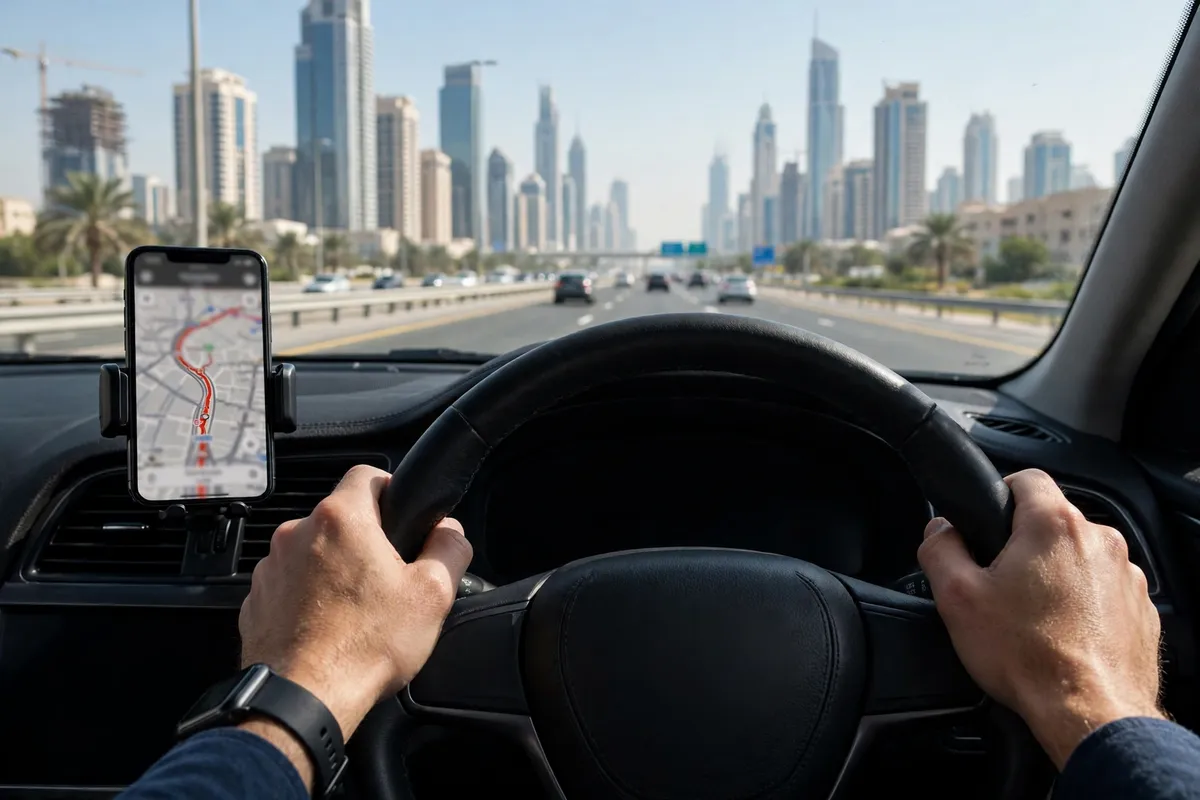
Note: A phone mount is not a luxury. It keeps the map where you can see it without holding the phone. Set the route before you move.
Check your fines and your Salik before you drive
A traffic check is not complete without a fines check. A fine you missed can block your vehicle renewal. Check both once a week.
Open dubaipolice.gov.ae and go to Services, then Fines Inquiry. Search by plate, licence, Emirates ID or fine number. The result lists each violation. The Dubai Police app does the same check. Sign in with UAE Pass. Open Traffic Fines and enter your details. The app also sends a notice when a new fine lands.
The RTA website checks fines too. RTA-issued violations feed into the same Dubai traffic file. Parking fines and Salik-linked fines sit in it too. A Dubai Police search shows them as well, so pick the app you already have. The MOI UAE app covers fines across all emirates. Call 901 for Dubai Police traffic help. BoloSara24 checked the fines steps on 29 November 2026.
Salik needs the same habit. Salik charges its peak toll from 6 to 10am and 4 to 8pm, Monday to Saturday. Each crossing costs AED 6 at peak and AED 4 off peak, plus 5% VAT since 1 June 2026. That is AED 6.30 at peak. Ten gates stand across Dubai. Check the Salik toll gates in UAE before you pick a route.
Common mistakes
Most drivers check traffic the wrong way, so fix these four.
- Checking at the wheel. A driver who checks at a red light reads an old map. Check at home, 10 minutes before you leave.
- Trusting one app only. One app can miss a fresh crash. Compare Waze and Google Maps on big trips.
- Reading distance, not time. The shortest road is often the slowest at peak. Compare arrival times.
- Forgetting the return trip. The morning map says nothing about the evening. Check again before you drive home.
One more trap: the school run. Parents who drive children to school add thousands of cars to the same roads at the same hour. A school bus or a short Metro ride frees your morning. Check the map near schools at drop-off and pickup times each day.
Frequently Asked Questions
Which app is best to check traffic Dubai before driving UAE roads?
Waze is best for fresh incidents and speed cameras. Google Maps is best for the steadiest congestion picture. S’hail is best for Metro trips. Most drivers keep two apps on their phones.
Is Waze free in Dubai?
Yes. Waze is free to download and free to use. It needs the internet for live traffic. A cached route will not refresh without data.
Can I check Dubai traffic without an app?
Yes. TomTom runs a live traffic map for Dubai on its site. Dubai radio runs traffic bulletins. The RTA Journey Planner plans trips on a computer.
How do I check my Dubai traffic fines?
Open dubaipolice.gov.ae, go to Services, then Fines Inquiry. Search by plate or Emirates ID. The Dubai Police app and the RTA website check the same file. The MOI UAE app covers all emirates.
What do the colours on the traffic map mean?
Green means free flow and red means a jam. Orange means slow. Dark red means standstill. If your road shows red, pick the next route the app offers. If all routes show red, wait 20 minutes. Check again after the wait.
When is Dubai traffic worst?
Weekday evenings run 5 to 8pm, and congestion peaks around 6pm. TomTom 2025 data puts a 10 km drive at 26 minutes 33 seconds in the evening. The morning drive takes 18 minutes 41 seconds.
Official Sources
RTA Journey Planner: plan a trip by Metro, bus or tram.
RTA home page: Dubai transport news.
TomTom Traffic Index Dubai report: the TomTom page with 2025 congestion figures, rush-hour times and speeds. BoloSara24 checked it on 29 November 2026.
Dubai Police: fines inquiry, traffic services and road safety news.
Disclaimer
BoloSara24 shares general travel tips only. It does not give legal or financial advice. Traffic, fines and tolls change, so check official pages before you drive. Last Updated: 29 November 2026.