A smart home setup in UAE starts with a plan, not a shopping cart. You pick the rooms that matter most. You pick the jobs you want done by voice or by phone. Then you buy kit that works on your Wi-Fi and fits UAE plugs and rules. This page walks through each step in plain words.
Quick Answer: A smart home setup in UAE links lights, locks, cameras and plugs to one app or voice helper. Start with strong Wi-Fi. Buy gear made for UAE plugs and voltage. Check TDRA approval for radio gear. Set one room up first. Test it for a week. Then add more rooms.
BoloSara24 checked the TDRA type approval page on 29 November 2026. It lists a review fee of AED 500 and a certificate fee of AED 200 for telecom gear. That page shows that radio gear needs approval before sale in the UAE. Buyers can check the approved equipment list on the same site.
What a smart home setup in UAE covers
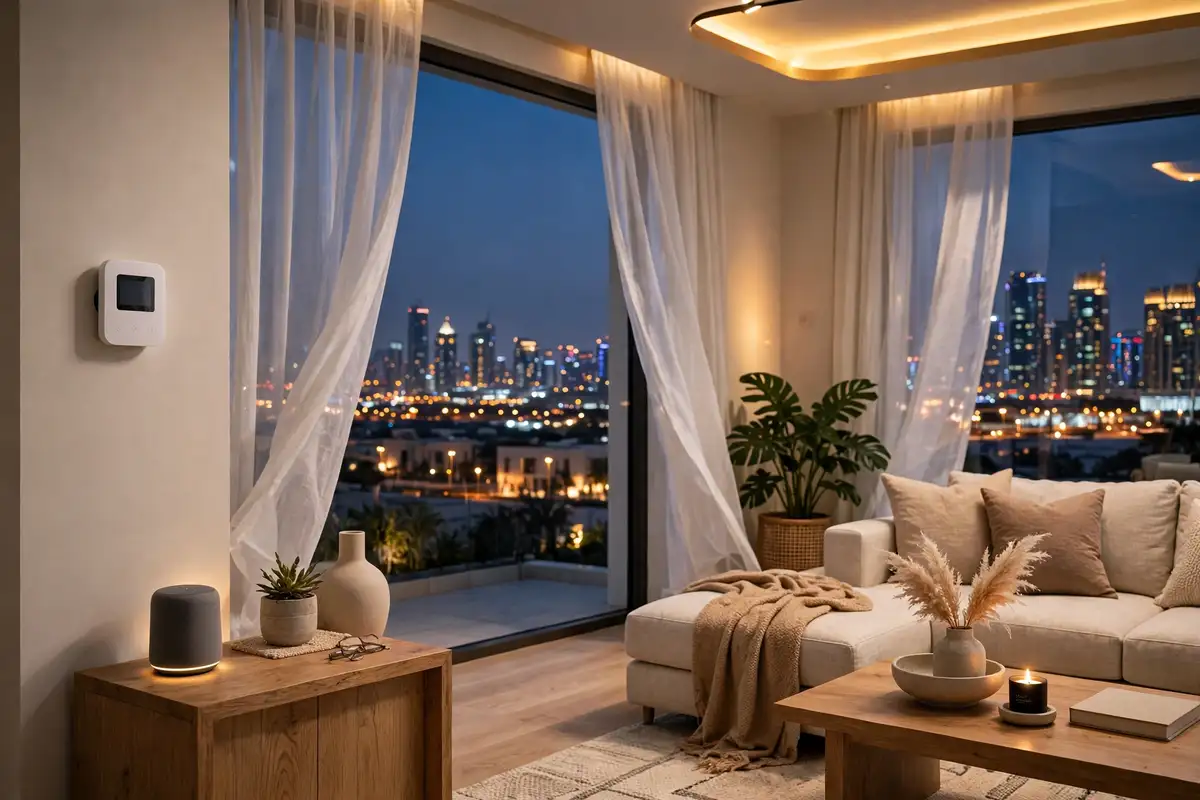
A smart home setup in UAE can cover lights, plugs, locks, cameras, air conditioning and curtains. BoloSara24 sees lights and plugs as the best first step. Each device talks to a hub or to your Wi-Fi router. You control it all from one app on your phone. Voice helpers like Alexa or Google Home can run the same kit.
Most homes start with lights and plugs, and a smart home setup in UAE grows from there. Lights give the fastest win. You can dim the hall light from bed. You’ll love that small joy each night. Plugs give control over lamps and fans. They cost less than full rewiring. They also move with you if you rent.
Cameras and locks come next for many families. A video doorbell shows who stands at the door. A smart lock lets a guest in with a code. You can change that code after the guest leaves. No key stays under a mat.
Air conditioning control saves real effort in UAE heat. A smart thermostat or AC controller sets the room cool before you reach home. It can switch off when no one is in the room. That cuts waste on hot afternoons in July.
Do you need every room smart on day one? No. One room done well beats five rooms done badly. Pick the living room first. Most families spend their evenings there.
Smart home setup in UAE starts with Wi-Fi
Weak Wi-Fi breaks a smart home. Devices drop off the network. Lights answer late. Cameras freeze at the worst time. Fix the network before you buy more kit.
Place the router in the centre of the home. Thick concrete walls in UAE villas block signals fast. A villa with two floors needs more than one access point. Mesh Wi-Fi units solve this in most homes. They spread one network across floors.
Check your internet plan speed with your provider. A 500 Mbps plan suits most smart homes. Cameras use the most data. Four cameras can push a weak upload link hard. Ask your provider about upload speed, not just download speed.
Keep smart gear on the 2.4 GHz band where the maker asks for it. A smart home setup in UAE fails fast on the wrong band. Many plugs and bulbs use 2.4 GHz only. They won’t see a 5 GHz network. Give the two bands clear names in the router app. That stops setup errors.
Ahmed lives in a two floor villa in Al Barsha, Dubai. His first smart bulbs kept going offline. He added one mesh unit on the stairs. The bulbs stayed online after that. His total fix cost less than one new camera.
Pick a hub or go hub free
A hub joins devices from many makers into one system. It also keeps basic control working when the internet drops. A hub free setup runs each device straight off Wi-Fi. You’ll juggle more apps that way. It costs less at the start. It can grow messy with ten apps on one phone.
Three main paths suit UAE homes. Amazon Alexa, Google Home and Apple HomeKit each run lights, plugs and cameras. Pick the one your family already uses. A home full of iPhones fits HomeKit best. A home with Android phones fits Google Home best.
Check each device box for the logo of your chosen path. A bulb that says Works with Alexa may not work with HomeKit. The box tells the truth. The shop shelf talk may not.
Zigbee and Z-Wave hubs use low power radio links. Their devices use less power than Wi-Fi bulbs. They need a hub to talk to your phone. They suit larger villas with many sensors. A small flat rarely needs them.
Buy one hub if you plan more than 15 devices. BoloSara24 counts 15 as the point where a hub pays off. Buy no hub if you plan under ten devices. That simple rule saves money and time for most homes.
Smart lights and plugs for UAE homes
Smart bulbs screw into normal UAE lamp holders. Check the fitting first. E27 fits most ceiling lamps. GU10 fits most spotlights. A wrong fitting wastes a trip back to the shop.
UAE homes run on 220 to 240 volts. Most global smart bulbs support that range. Check the box for 220V before you pay. A bulb made only for 110V will fail fast.
Smart plugs sit between the wall socket and the device plug. UAE sockets use Type G three pin plugs. Buy plugs with Type G pins. A plug with a round pin needs an adaptor and looks untidy.
Set lights on a schedule for prayer times and sleep times. The hall light can dim at 10 pm. The porch light can switch on at sunset. Schedules beat voice commands for daily jobs.
Fatima lives in a flat in Marina, Dubai. She put smart plugs on two lamps and a fan. Her living room now lights up when she walks in after work. She spent less than AED 200 on the plugs. She calls it the best small change in her flat.
Locks cameras and safety in a smart home setup in UAE
A smart lock must fit your door. UAE villa doors often use a deadbolt or a mortise lock. Take a photo of your lock before you shop. Show it to the shop staff. They can match the right model.
Keep a physical key as backup. Batteries die at odd hours. You can’t open a dead lock with a phone. A key in your bag saves a late night call to a locksmith. Change lock codes when a tenant or helper leaves.
Place cameras to watch doors, not bedrooms. A camera at the front door deters most trouble. A camera in a bedroom breaks trust in a home. Tell helpers and guests where cameras sit.
Strong passwords matter more than fancy cameras. Give each camera its own long password. Turn on two step sign in for the camera app. Update the camera app when it asks. Old apps carry old flaws.
Check the camera brand on the TDRA approved equipment list before you buy. The list sits on tdra.gov.ae. It names approved radio gear with model names and expiry dates. A listed model has passed UAE checks.
What a smart home setup in UAE costs
Costs vary a lot by home size and brand. A smart home setup in UAE has no one fixed price. No single price fits every home. Get three written quotes before a big install. Compare the same list of devices in each quote.
A small flat can start with AED 500 to AED 1,000 of kit. That buys a few bulbs, two plugs and a voice speaker. A villa with cameras and locks can pass AED 5,000 fast. Installation adds to the bill.
Ask what the quote covers. Does it cover the hub? Does it cover fitting? Does it cover setup of the app? A cheap quote that skips fitting costs more later. Get each point in writing.
Watch for monthly fees. Some camera brands charge a monthly fee for cloud video. Others store video free on a card in the camera. Read the fee page before you buy the camera.
Renters should buy kit they can take away. Plugs, bulbs and a speaker move in a box. A wired lock or wired camera may stay with the flat. Ask your landlord in writing before you drill or wire anything.
Common mistakes to avoid
Many buyers mix brands that never talk to each other. A smart home setup in UAE needs one main path first. They end with five apps and no single control. Pick one main path first. Buy gear that fits that path. Add a new brand only after a check.
Some buyers skip the Wi-Fi fix. They blame the bulb when the network drops. Test Wi-Fi in each room with your phone first. Fix dead spots before you add devices.
Some homes share one weak password across all apps. One leak then opens every device. Use a password manager. Give each app its own password.
Don’t buy radio gear from unknown sellers with no UAE approval. TDRA type approval covers radio and telecom gear sold in the UAE. The TDRA page lists fees and times. Level 1 takes 1 working day. Level 2 takes 5 working days. Level 3 takes 10 working days.
Keep boxes and receipts for a year. That’s a simple habit BoloSara24 suggests for every smart home buyer. A failed bulb in month three needs proof of purchase. A photo of the receipt on your phone works too.
Frequently Asked Questions
Do I need a hub for a smart home setup in UAE?
No. A small setup with under ten Wi-Fi devices works with no hub. A larger home with more than 15 devices works better with one hub. The hub keeps control steady when the internet drops.
Will smart bulbs work on UAE voltage?
Yes, if the box lists 220 to 240 volts. Most global brands support that range. Check the box before you pay. A bulb made only for 110 volts will fail in a UAE home.
Can a tenant install a smart home setup in UAE?
Yes for plug in kit like bulbs, plugs and speakers. You need your landlord’s written okay before you drill, wire or change a lock. Take plug in kit with you when you move out.
How do I check if a camera is TDRA approved?
Open the TDRA approved equipment list on tdra.gov.ae. Search the brand and model name. A listed model has a registration number and an expiry date. Ask the seller for the same model name.
What internet speed suits a smart home?
A 500 Mbps plan suits most homes. Cameras need good upload speed most. Ask your provider about upload speed before you add four or more cameras.
Do smart locks work when the power fails?
Most smart locks run on batteries, so a power cut does not stop them. Keep a physical key as backup. Change the batteries when the app warns you.
Official Sources
TDRA Register and Approve Telecommunication Equipment: Check type approval fees and rules for radio gear in the UAE.
TDRA Approved Equipment List: Search brand and model names to check if a device is approved in the UAE.
DEWA Green Future: Read about DEWA smart and green plans for Dubai homes, with Shams Dubai solar details.
UAE Government Portal Leasing a Property: Read lease rules for tenants who fit smart kit in a rented home.
Best Home Internet Packages in UAE: Compare home internet plans before you pick a speed for your smart home.
Best CCTV Installation in Dubai UAE: Find camera fitting help for a Dubai home.
Keep Home Safe During Holidays in UAE: Use smart locks and cameras to guard your home while you travel.
Best Areas to Buy Property in Dubai UAE: Pick a Dubai area first.
How to Find Your Makani Number in UAE: Find your home location number for deliveries and service visits.
Disclaimer: BoloSara24 is an independent guide. It has no link with TDRA, DEWA or any device maker. Rules and fees change. Check the official page before you buy or fit any device. This page gives general facts only. It is not legal, financial or technical advice.
Last Updated: 29 November 2026.