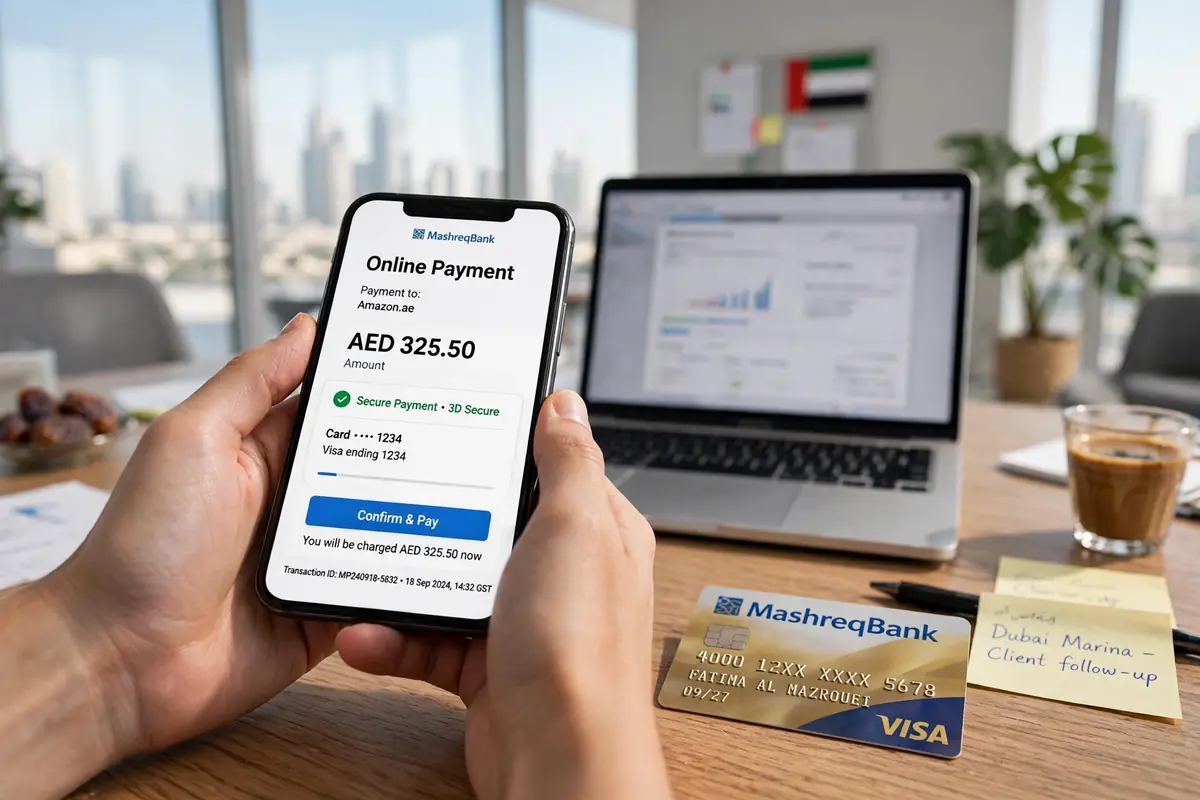
You can pay MOHRE fees online UAE employers owe in a few minutes. No trip to a typing centre. No cash queue. You log in to the MOHRE portal or app, open the service, and pay by card. This guide shows the exact steps for labour card fees, work permit fees, and contract fees. The BoloSara24 team checked the payment path on the MOHRE site on 29 November 2026.
Quick Answer: To pay MOHRE fees online UAE companies owe, log in to the MOHRE website or smart app with UAE Pass. Open the service you need, such as a work permit or a labour contract. Check the fee on the screen. Pay by debit card, credit card, or e-Dirham. Save the receipt and the transaction number. MOHRE sends a notice once the payment clears and the service moves ahead.
What you can pay online
MOHRE runs most labour services online. The portal covers work permits, labour contracts, establishment files, and quota requests. Each service shows its fee before you pay. You never pay blind. The screen lists the amount, the service name, and the transaction number.
Three fees come up most for employers. Work permit fees apply when you hire a new worker or renew a permit. Labour card fees sit inside the work permit cost, since the card is the electronic work permit record. Contract fees apply when you sign or renew a labour contract. Your PRO sees all three in the MOHRE system. BoloSara24 readers ask about these three fees more than any other MOHRE topic.
Don’t guess a fee from an old blog post. Fee lists change. The portal shows the live amount for your company and your worker. That screen is the only true total. Read it before you tap pay.
Tip: Keep your company establishment number ready before you log in. It speeds up every MOHRE payment.
Ways to pay MOHRE fees online UAE
MOHRE accepts several online payment routes. The most common is a debit or credit card on the portal checkout. Visa and Mastercard both work. The portal runs the payment through the government gateway. You get a receipt at once.
E-Dirham is the second route. The Ministry of Finance runs e-Dirham as the official electronic payment system for government fees. You can pay with an e-Dirham prepaid card or through the e-Dirham gateway on the checkout page. Many typing centres still use e-Dirham cards at the counter. Online, the gateway does the same job with your bank card.
Some employers pay through a bank app or a digital wallet where the portal offers it. The choice sits on the checkout page. Pick the route you trust. The result is the same. MOHRE records the payment against your transaction, and you can pay MOHRE fees online UAE firms owe from any of these routes.
- Debit card or credit card on the MOHRE portal
- E-Dirham card or e-Dirham gateway at checkout
- Bank transfer or wallet where the portal lists it
- Cash or card at a Tasheel centre if you go in person
Note: A small gateway charge may sit on top of the fee. MOHRE notes on its service pages that listed fees do not include tax and collection charges. Read the final total on the payment screen.
Steps to pay on the MOHRE portal
Follow these steps in order. They work for a work permit fee, a contract fee, and most other MOHRE fees. Have your UAE Pass login ready. Have the worker’s details close by.
- Open the MOHRE website or the MOHRE smart app. Log in with UAE Pass.
- Pick the service. Choose the work permit, the labour contract, or the service you need.
- Enter the details. Add the establishment number, the worker’s person code or passport number, and the job details.
- Check the fee. The screen shows the amount for your company category and the worker type. Read it twice.
- Pick a payment method. Choose card, e-Dirham, or the bank route the page offers.
- Enter the card details on the secure checkout page. Confirm the amount one last time.
- Pay and wait for the confirmation screen. Save the receipt as a PDF. Note the transaction number.
- Track the service. Use the MOHRE inquiry service or the app to see the new status.
Stuck at login? UAE Pass is the key. If your UAE Pass is locked, fix it first. MOHRE can’t help with a locked UAE Pass. The UAE Pass app resets it with your Emirates ID and your face scan. Don’t share your UAE Pass code with any agent or typing centre.
Example: Sara runs a small salon in Abu Dhabi with 4 staff. Her PRO files a new work permit for a stylist. The portal shows the fee on the screen. Sara pays by her company debit card. She saves the receipt PDF and the transaction number. The permit moves to the next step the same day. She checks the status on the MOHRE app the next morning.
Pay MOHRE fees online UAE for a work permit
Work permit fees change with the company category and the worker’s skill level. MOHRE sets the fee bands in its fee rules. The portal applies the right band to your firm. You see the exact amount before you pay. Don’t trust a fixed number from a friend. Two firms can pay two different amounts for the same permit type.
The flow starts with the quota. Your firm needs an open quota for the job. Then you file the work permit request. The portal asks for the worker’s passport, the job title, and the salary. Then it shows the fee. You pay. MOHRE reviews the request. Approval lands in the portal and the app.
If the payment fails, don’t pay twice in a rush. Check the transaction list first. A failed card payment often shows as pending, then drops off. If the money left your account, call your bank with the transaction number. Then check the MOHRE inquiry service. Pay again only when the first payment shows as failed or missing.
Payment: Pay by card or e-Dirham on the portal. Save the receipt PDF. Note the transaction number. Check the status on the MOHRE inquiry service before you pay again.
Labour card and contract fees
The labour card is now the electronic work permit. You don’t buy a plastic card. The fee you pay covers the permit record. Your worker can print the electronic permit from the MOHRE inquiry portal. The print shows the permit number, the employer, the job, and the expiry date.
Contract fees work the same way. You draft the labour contract in the MOHRE system. The portal shows the fee. You pay online. Both sides sign the contract. The signed contract sits in the MOHRE file. Keep a copy for the worker and one for your own records.
Renewals follow the same path. Open the renewal service. Check the fee. Pay. The new expiry date shows in the system. Start renewals early. A late renewal can bring a fine, and a fine costs more than the fee you tried to save. BoloSara24 also covers the salary deduction rules in UAE that touch the same contract, and the job offer letter checks every new hire should pass first.
Common mistakes with online MOHRE payments
Most payment pain comes from small slips. Read this list before you pay. It saves you a second payment and a long call.
- Paying the fee for the wrong worker. Check the name and person code first.
- Using an expired card. The checkout will fail and the service will sit open.
- Closing the page before the confirmation screen loads. Wait for the receipt.
- Paying twice after one slow page. Check the transaction list first.
- Losing the receipt. Save the PDF at once and mail it to yourself.
- Letting a stranger pay with your UAE Pass login. Never share it.
Do and Dont: Do read the fee on the screen before you pay. Do save the receipt PDF and the transaction number. Do check the status after payment. Don’t pay twice for one service. Don’t share your UAE Pass code. Don’t trust a fee figure from an old post.
What to do after you pay
Payment is not the end. It starts the next step. Check the service status on the MOHRE inquiry service or the app. The status moves from payment to review to approval. If the status stays stuck for days, call MOHRE at 600 590000 with the transaction number ready.
Keep a payment file for each worker. One folder per worker holds the receipt, the permit print, and the contract. Audits and visa renewals go faster with that folder. BoloSara24 suggests the same habit for interns too, so read the UAE internship visa requirements if you hire trainees. Clean records beat a frantic search every time.
Your firm also needs an establishment card before any of this works. If you have not opened the labour file yet, read the MOHRE establishment card UAE guide on BoloSara24. It covers the papers, the AED 406 Taqeem fee, and the 2 working day service time. The MOHRE establishment file UAE guide covers updates to the same file.
Frequently Asked Questions
Can I pay MOHRE fees online UAE with a debit card?
Yes. The MOHRE portal and app accept debit and credit cards at checkout. Visa and Mastercard both work. Save the receipt once the payment clears.
What is e-Dirham and do I need it to pay MOHRE fees?
E-Dirham is the Ministry of Finance system for government fee payments. You can pay through the e-Dirham gateway at checkout or with an e-Dirham card. A bank card also works on the portal, so e-Dirham is a choice, not a must.
How do I check if my MOHRE payment went through?
Use the MOHRE inquiry service or the smart app. Enter the transaction number. The status shows paid, pending, or failed. Keep the receipt PDF as proof.
What if my MOHRE payment fails but money left my account?
Don’t pay again at once. Check the transaction list on the portal and your bank statement. If the money left your account, call your bank with the transaction number. Then check the MOHRE inquiry service before you pay again.
Can I pay MOHRE fees at a Tasheel centre instead?
Yes. Tasheel centres accept card, cash, and e-Dirham payments. The centre adds its own service charge. Online payment costs no centre fee.
Do I need UAE Pass to pay MOHRE fees online?
Yes. The MOHRE portal and app use UAE Pass for login. Fix a locked UAE Pass in the UAE Pass app before you start the payment.
Official Sources
MOHRE Official Website: The ministry home page with links to the portal, the smart app, and the inquiry service for payments and status checks.
MOHRE Issuance of Establishment Card: The official service page that notes listed fees do not include tax and collection charges, and the service is free through the website and app.
UAE Ministry of Finance: The ministry that runs the e-Dirham payment system for government service fees.
UAE Government Portal: The official UAE portal with links to federal labour services and digital payments.
Disclaimer: This guide gives general facts only. It is not legal advice. Fees and payment routes can change. Check the MOHRE portal before you pay. BoloSara24 updates this guide when MOHRE changes a step.
Last Updated: 29 November 2026.



