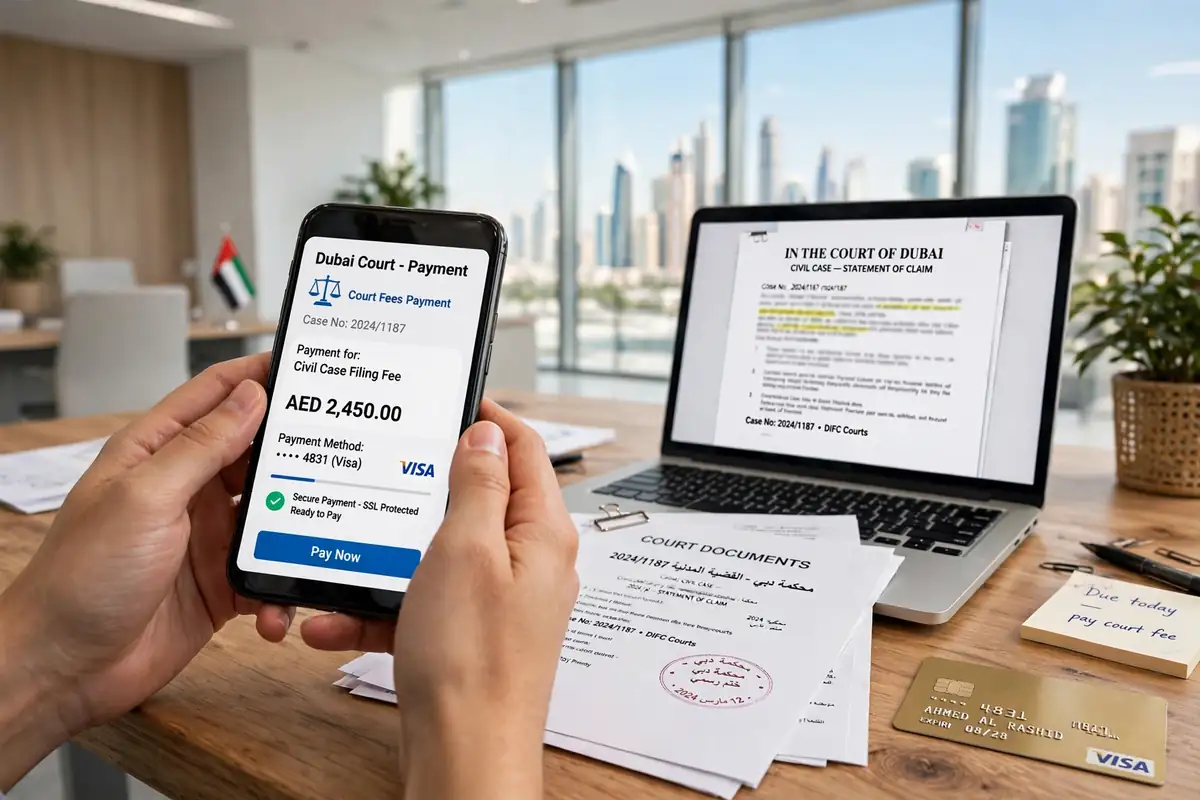
A court case starts with papers. It also starts with a fee. You pay that fee online in most UAE courts now. You do not need to queue at a cash counter. You can pay court fees online UAE through the portal that holds your case. The portal shows the exact amount before you pay.
Three portals cover most cases. The Ministry of Justice eFiling system covers federal courts. Dubai Courts covers Dubai cases. The Abu Dhabi Judicial Department covers Abu Dhabi cases. Pick the portal that matches your court. The wrong portal can’t take your payment. BoloSara24 checked the u.ae eFiling page and the Dubai Courts Pay on Case page on 29 November 2026. The eFiling page says the system sends a receipt when you pay the claim registration fee. The Dubai Courts page says you can inquire and pay case fees with a pay token.
Quick Answer: Open the portal for your court and sign in with UAE Pass. Open your case file or enter the case number and year. Read the fee shown on the screen. Pay by card and save the receipt. For a Dubai case with a pay token, use the Dubai Courts Pay on Case page. Enter the token details there.
Where to pay court fees online UAE
The court that holds your file decides the portal. Start with the court name on your papers. Match it to the list here. Do not guess.
Federal courts sit in Sharjah, Ajman, Umm Al Quwain and Fujairah. Their portal is the Ministry of Justice eFiling system. You file the case there. You pay the fee there. You track the case there. The system sends a notice and a receipt to each party after the payment goes through.
Dubai Courts covers Dubai cases that sit outside the DIFC Courts. Its smart services portal handles filing and payment. Its Pay on Case page handles a separate task. It lets you pay a fee voucher that a court official has already issued. You’ll need the pay token for that voucher.
Abu Dhabi cases sit with the Abu Dhabi Judicial Department. Its eServices portal handles filing and payment for local Abu Dhabi courts. Call ADJD on 600 599 799 if you cannot tell which portal holds your file. Keep your case number ready when you call.
Note: DIFC Courts run a separate system. A case that names DIFC Courts as the forum does not sit in Dubai Courts. Check your contract or your court papers for the forum name before you pay.
What you need before you pay court fees online UAE
Keep four things ready. First, your case number and year. Second, your UAE Pass login. Third, a bank card that works online. Fourth, the claim value if you file a new civil case. The fee for a new case turns on the claim value and the case type.
Checklist: Case number and year from your court papers. UAE Pass app on your phone with the login working. A bank card with online payment turned on. The claim value in dirhams for a new civil filing. Your email for the receipt.
Test your card before the payment step. A card with online payment off will fail at the last screen. Check the card limit too. A low daily limit can block a large court fee. Call your bank if you need the limit raised for the day.
Example: Omar files a civil claim for AED 80,000 in a federal court. He opens the eFiling portal. He types the claim value. The portal shows the fee for his case type. He pays by card. The system sends him a receipt by email the same hour.
Steps to pay court fees online UAE
The steps look the same on each portal. The names on the buttons may differ. The order stays the same.
- Open the portal for your court.
- Sign in with UAE Pass.
- Open your case file or pick the pay fee service.
- Enter the case number and the year.
- Read the fee amount on the screen.
- Enter your card details and confirm the payment.
- Save the receipt. Download it as a PDF.
Read the fee amount twice before you confirm. A wrong case number can show the wrong fee. If the amount looks wrong, stop. Go back and check the number and the year. A paid fee goes to the file you picked. Moving it to another file takes time.
Save the receipt in two places. Keep the PDF on your phone. Keep a copy in your email too. The receipt proves the date and the amount of the payment. You may need it if the court asks about the fee later.
Example: Lina pays a fee for her Dubai case on a Sunday night. The portal shows the amount first. She pays by card. The receipt lands in her email in minutes. She prints it on Monday and adds it to her court file. The hearing goes ahead with no fee issue.
Pay with a token on Dubai Courts
Dubai Courts runs a Pay on Case service. It works with pay tokens. A court official issues a fee voucher for your case. The voucher carries a pay token. You enter the token details on the Pay on Case page. The page shows the fee. You pay it online.
The page asks for the case type, the case year and the case number. Type them as they appear on the voucher. A single wrong digit blocks the search. Read the voucher twice before you type.
The same Dubai Courts payment area also covers case fines with pre-set tokens. This token route is one more way to pay court fees online UAE in Dubai. The fine page works the same way. Enter the token details. Read the amount. Pay by card. Keep the receipt.
Tip: Ask the court official for the token in writing if you got it by phone. A token read over the phone can lose a digit. A written token is easy to check. Save the message with the token till the payment clears.
What decides the fee amount
The fee turns on two facts. It turns on the case type. It turns on the claim value. The only way to pay court fees online UAE is through the portal for your court. A civil claim fee differs from a labour filing fee. A large claim costs more than a small claim. The portal works out the exact fee for your file.
You can work out the fee on the Ministry of Justice website for federal cases. The u.ae civil cases page says the plaintiff pays the fee based on the type of the case. It also says you can calculate court fees on the Ministry of Justice website. Use that tool before you file. It helps you plan the cash you need.
Fees: The portal shows the exact fee for your case before you pay. The fee turns on the case type and the claim value. A receipt follows each payment. A fresh filing needs the fee paid before the court lists the case.
Don’t trust a fee figure from a chat group or a blog. BoloSara24 lists the official links at the end of this guide. This BoloSara24 guide covers the three main court portals. BoloSara24 will update this guide when a portal changes its steps. Fee rules change. Only the portal screen for your own case shows the live amount. If a friend paid a different amount last year, that tells you nothing about your case today.
Can you pay in cash? Most online services have moved away from cash counters. The portals take card payment. It’s best to pay a few days before the hearing. Check the portal for your court if you have no card. A service centre may still take a payment for some services. Ask before you travel.
After you pay
Check three things after the payment. First, the receipt. Second, the case status. Third, the next step the court lists. A paid fee doesn’t close the case. It only moves the file to the next stage.
Open the case file again after an hour. The status should show the payment. If it still shows unpaid after a day, call the court. Keep the receipt number ready. The receipt number helps the staff find your payment fast.
After Applying: Save the receipt as a PDF. Check the case status after one hour. Note the next hearing date. Send the receipt to your lawyer if you have one. Keep the card statement that shows the same amount.
If the payment fails, check your card first. A failed payment leaves the fee unpaid. The portal may show the fee again. Pay it again with a card that works. A double charge is rare. Check your bank statement before you pay twice. If the bank shows two charges, call the court with both receipt numbers.
Common mistakes to avoid
Common Mistakes: You pay on the wrong portal for your court. You type the case number with no year. You pay a fee figure from a blog instead of the portal screen. You close the page before you save the receipt. You pay twice after one failed attempt with no bank check.
The wrong portal is the costliest error. A payment on the wrong portal does not reach your file. The court will still show the fee as unpaid. You must then ask for a refund and pay again on the right portal. A refund takes time. Check the court name before you pay.
Do and Dont: Do read the fee on the portal screen before you pay. Do save the receipt as a PDF. Do check the case status after one hour. Do not pay a fee figure from a chat group. Do not close the page before the receipt appears.
If you still need to start a case, read how to file a civil case in the UAE. If the court has ruled in your favour, read how to enforce a court judgment in the UAE. For a dispute with a developer, read how to file a case against a developer in the UAE. For bail in a criminal file, read how to get bail in the UAE. For the law on spoken or written harm, read the UAE defamation law explained.
Frequently Asked Questions
Can I pay court fees online UAE by card?
Yes. The court portals take card payment online. Have a card with online payment turned on. Save the receipt after the payment clears.
Which portal takes the fee for my case?
The court that holds your file decides the portal. Federal courts use the Ministry of Justice eFiling system. Dubai cases use Dubai Courts. Abu Dhabi cases use the ADJD eServices portal. That portal is where you pay court fees online UAE for that file.
How much is the court fee?
The fee turns on the case type and the claim value. The portal shows the exact fee for your case before you pay. You can also work out the fee on the Ministry of Justice website for federal cases.
What is a Dubai Courts pay token?
A pay token sits on a fee voucher that a court official issues for your case. You enter the token details on the Dubai Courts Pay on Case page. The page shows the fee and you pay it online.
What if my payment fails?
Check your card and your bank statement first. A failed payment leaves the fee unpaid. Pay again only after you confirm the first attempt did not go through. Keep both receipt numbers if the bank shows two charges.
Do I get a receipt for an online court fee?
Yes. The portal sends a receipt after the payment. The eFiling system sends a notice and a receipt to each party. Save the receipt as a PDF and keep it with your court papers.
Official Sources
Ministry of Justice: The official site of the UAE Ministry of Justice for federal courts, eFiling and fee calculation.
The eFiling System: u.ae: The official UAE Government portal page on the eFiling system for federal courts.
Pay on Case: Dubai Courts: The official Dubai Courts page to inquire and pay case fees with a pay token.
Pay Case Fines: Dubai Courts: The official Dubai Courts page to pay pre-set case fine tokens online.
Abu Dhabi Judicial Department: The official ADJD home page with links to eServices for Abu Dhabi court fees.
Disclaimer: BoloSara24 is an independent site. It has no link with the Ministry of Justice, Dubai Courts, the Abu Dhabi Judicial Department or any UAE court. The facts here come from official pages checked on 29 November 2026. Court fees and portal screens can change. Confirm the live fee on the portal for your own case before you pay. This article gives general facts only. It is not legal or financial advice. For advice on your own case, speak to a licensed UAE lawyer.
Last Updated: 29 November 2026.



