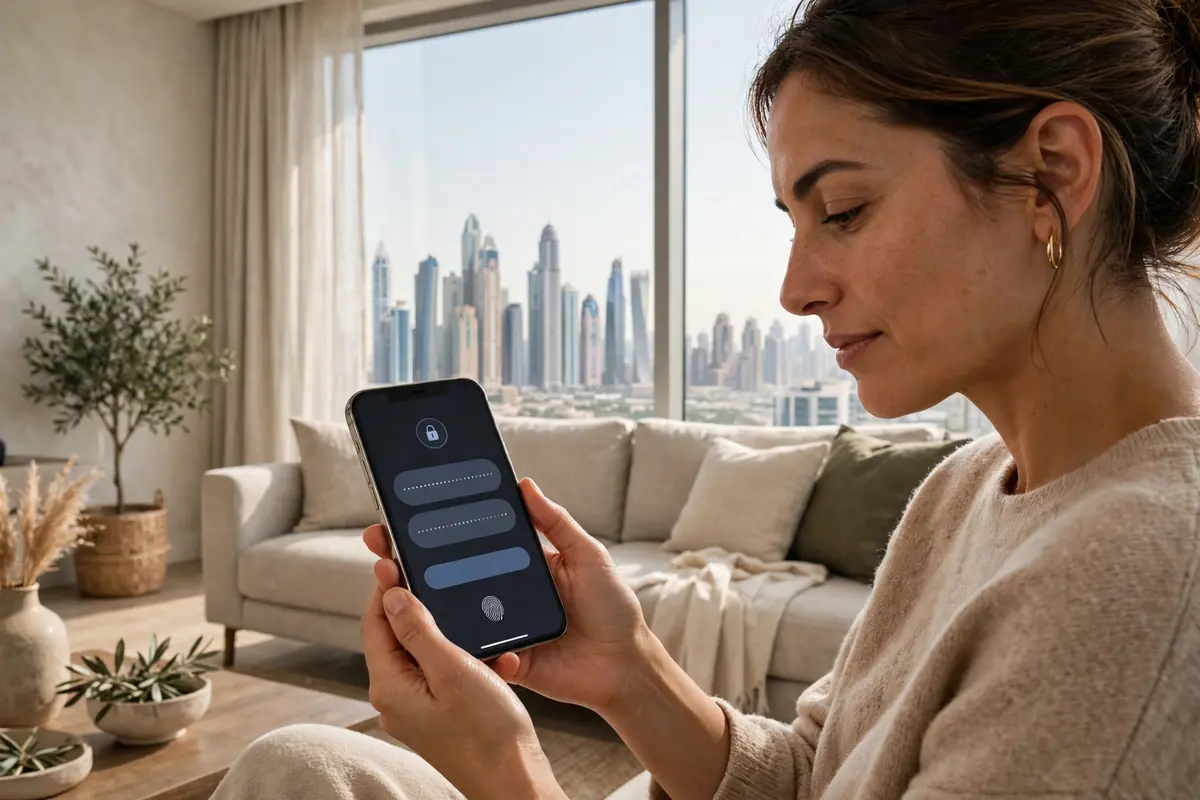
You open your bank app. It asks for a username and a password. You forget the password again. There is a faster way. You can link bank account with UAE Pass and log in with your face. One tap opens the bank app. No password to type. No username to recall. BoloSara24 checked the official UAE Pass pages on 29 November 2026. The steps in this guide follow those pages and the banks that list UAE Pass as a login choice.
Quick Answer: Download the UAE Pass app and verify your account with your Emirates ID. Open your bank app and tap Sign in with UAE Pass. Type your bank username and password once to link the two accounts. Approve the login in the UAE Pass app with your face. Next time, the bank app opens with UAE Pass alone.
The Short Answer
UAE Pass is the national digital identity of the UAE. It gives you one login for government services and for many banks. The app launched in 2018 as a joint plan of the Telecommunications and Digital Government Regulatory Authority, Abu Dhabi Digital Authority, and Digital Dubai. The Central Bank approved UAE Pass for banks in 2019. Since then, many UAE banks added it as a login choice. Emirates NBD, First Abu Dhabi Bank, Abu Dhabi Commercial Bank, Mashreq, Dubai Islamic Bank, Abu Dhabi Islamic Bank, and Wio Bank are on the list.
To link bank account with UAE Pass, you need three things. You need a verified UAE Pass account. You need a bank account with online banking turned on. You need the same phone number on both accounts. The link takes about ten minutes. The first login needs your bank password once. After that, UAE Pass does the job alone.
What You Need Before You Start
Start with your Emirates ID. The card must be valid. The UAE Pass app scans the front and the back of the card. Use good light and lay the card flat on a dark table.
Next, check your phone number. The number in the UAE Pass app must match the number at the bank. A mismatch stops the link. Open the bank app and check the number on your profile. Open UAE Pass and check the same number. Fix a wrong number at the bank first. A bank branch or the bank call centre can update it.
Tip: Charge your phone past 50 percent before you start. The face check needs the camera. A dead phone in the middle of the face check means you start again.
Fatima lives in Sharjah. She forgot her bank password twice in one month. She linked her account with UAE Pass in ten minutes. Now she opens the bank app with her face.
How to Set Up UAE Pass First
Download the UAE Pass app from the App Store or Google Play. Check the publisher name before you tap install. Fake apps exist. The real app comes from the official UAE Pass team. The app is free.
Open the app and tap Create Account. Type your Emirates ID number. Type your mobile number. Type your email. The app sends a code by SMS. Type the code. Then scan your Emirates ID. The app reads the chip in the card. It asks you to take a live photo of your face. Look at the camera. Turn your head slowly as the app asks. The face check matches your live photo with the photo on your Emirates ID.
Some phones finish the check inside the app. Other phones need a kiosk visit. A UAE Pass kiosk sits in Emirates Post offices, ICP centres, and some malls. Take your Emirates ID to the kiosk. The kiosk scans your fingerprint and your face. The account turns verified after the kiosk check. The UAE Pass help desk number is 600 561 111. Call it if the app check fails twice.
Banks need the verified account. Look for the verified mark in the app profile. If the mark is missing, finish the face check or visit a kiosk. A basic account will not link.
Note: Never share a UAE Pass code from an SMS with anyone. A real bank or a real government office never asks for that code by phone. A call that asks for it is a scam call.
How to Link Bank Account With UAE Pass
Open your bank app. Look for Sign in with UAE Pass on the login screen. The button sits near the username box in most bank apps. Tap it. The bank app opens the UAE Pass app. The UAE Pass app shows the bank name and asks you to approve the login. Tap Approve. The UAE Pass app asks for your face. Look at the camera. The check takes two seconds.
On the first link, the bank app asks for your bank username and password. Type them once. This step joins the two accounts. The bank checks the name and the Emirates ID number from UAE Pass against its own record. The names must match. A name spelled one way at the bank and another way on the Emirates ID can stop the link. Fix the name at the bank first if it differs.
After the first link, the bank app opens with UAE Pass alone. Open the bank app. Tap Sign in with UAE Pass. Approve in the UAE Pass app. Your face confirms the login. No password goes in. The link stays until you break it. You can break it in the bank app settings or in the UAE Pass app. Break the link if you change phones or if you close the bank account.
Payment: The link does not move money. It only opens the bank app. A payment still needs your own confirm step in the bank app. A transfer still needs the bank code. UAE Pass opens the door. The bank still guards the money.
How to Open a Bank Account With UAE Pass
Some banks let you open a new account with UAE Pass. Emirates NBD, First Abu Dhabi Bank, Abu Dhabi Islamic Bank, Al Maryah Bank, and Al Hilal Bank offer this. Open the bank app. Tap Open New Account. Tap Continue with UAE Pass. Approve in the UAE Pass app with your face. The bank pulls your verified name, Emirates ID, and address from UAE Pass. You do not type them by hand.
You still need to finish the bank form. Pick the account type. A current account suits daily pay and bills. A savings account suits money you want to keep aside. Read the guide to open a current account in UAE before you pick. Confirm your address and your job details. The bank may ask for a salary proof or a trade licence for some accounts. The UAE Pass link cuts the ID part. It does not cut the bank checks.
The bank gives you an account number in the app when the checks pass. The debit card comes by courier in a few days. A zero balance bank account in UAE suits a first account with no salary yet, so check the bank list before you apply.
What UAE Pass Shares With Your Bank
UAE Pass shares only what you approve. The bank sees your verified name. It sees your Emirates ID number. It sees your date of birth and your nationality. It may see your address from the official record. It does not see your other bank accounts. It does not see your government logins. Each new bank asks for a fresh approve step. You can say no to a new bank at that step.
The UAE Pass app holds a digital vault with copies of your official papers. You can share a paper from the vault with a bank when the bank asks for it. The share needs your approve step each time. UAE Pass also signs papers with a digital signature. Read a form first, then sign in the app.
Common Problems and Fixes
BoloSara24 readers hit these four problems most. The link fails when the phone number differs. Check both apps. Fix the number at the bank. Wait a day for the bank record to update. Try the link again. The link fails when the name differs too. A middle name on the Emirates ID and no middle name at the bank can stop it. The bank can fix the name with your Emirates ID at a branch.
The face check fails in poor light. Stand near a window, take off sunglasses, and hold the phone at eye level. If the check fails three times, visit a kiosk.
The bank app does not show a UAE Pass button. The bank may not support it yet. Call the bank and ask. Use the normal login for those banks.
A new phone needs a fresh UAE Pass setup. Download the app, log in, do the face check again, then link the bank app again.
If the bank freezes your account, UAE Pass will not open it. Read the guide to unfreeze a bank account in UAE and call the bank first.
Safety Tips for UAE Pass and Banking
Lock your phone with a face or a fingerprint. If the phone is lost, call the UAE Pass help desk on 600 561 111 to suspend the account. Then call the bank to freeze the card.
Check the bank statement each week. A transfer between UAE banks shows on the statement with the bank name and the amount, so a strange name stands out fast. Tell the bank at once if you see a payment you did not make.
Do and Dont: Do approve a UAE Pass login only when you started it yourself in the bank app. Do not approve a login request that pops up when you did not ask for it.
What to Do Next
Check your UAE Pass account today. Open the app. Look for the verified mark. If the mark is missing, finish the face check or visit a kiosk this week. Then open your bank app and tap Sign in with UAE Pass. Link the two accounts in ten minutes. BoloSara24 readers who link bank account with UAE Pass once save a password reset every month. BoloSara24 checked this link bank account with UAE Pass flow on the official pages on 29 November 2026. If your bank has no UAE Pass button yet, ask the bank when it will add one. A credit card in UAE can also use the same UAE Pass check at some banks, so ask about that too when you call.
Frequently Asked Questions
Can I link bank account with UAE Pass for free?
Yes. UAE Pass is free. The bank does not charge for the link. The link only needs a verified UAE Pass account and online banking turned on at the bank.
Which banks accept UAE Pass login in UAE?
Emirates NBD, First Abu Dhabi Bank, Abu Dhabi Commercial Bank, Mashreq, Dubai Islamic Bank, Abu Dhabi Islamic Bank, Wio Bank, and more accept it. Check your bank app for the Sign in with UAE Pass button.
Do I need a verified UAE Pass account to link my bank?
Yes. Banks need the verified account with the face check done. A basic account will not link. Finish the face check in the app or visit a UAE Pass kiosk with your Emirates ID.
Can I open a new bank account with UAE Pass?
Some banks allow it. Emirates NBD, First Abu Dhabi Bank, Abu Dhabi Islamic Bank, Al Maryah Bank, and Al Hilal Bank offer it. The bank pulls your verified details from UAE Pass and you finish the bank form in the app.
What if my name differs between UAE Pass and my bank?
The link will fail. Fix the name at the bank first with your Emirates ID. The name on the bank record must match the name on the Emirates ID. Then try the link again.
How do I unlink UAE Pass from my bank account?
Open the bank app settings or the UAE Pass app and break the link. The bank login goes back to username and password. Break the link if you change phones or close the account.
Official Sources
UAE PASS Official Website — UAE Pass says it is the first national digital identity for citizens, residents, and visitors, with digital signing and official papers.
UAE Government Portal UAE Pass — The UAE portal explains the UAE Pass app, the digital vault, digital signing, and the help desk number 600 561 111.
Central Bank of the UAE Payments and Settlements — The Central Bank lists the payment systems it owns and runs in the UAE.
Disclaimer
BoloSara24 is an independent guide. It is not a bank, a government body, or UAE Pass. It has no link with the Central Bank of the UAE, TDRA, UAE Pass, or any bank named here. Bank support for UAE Pass changes. Check the current list with your own bank before you act. This guide gives general facts only. It is not financial or legal advice.
Last Updated: 29 November 2026.