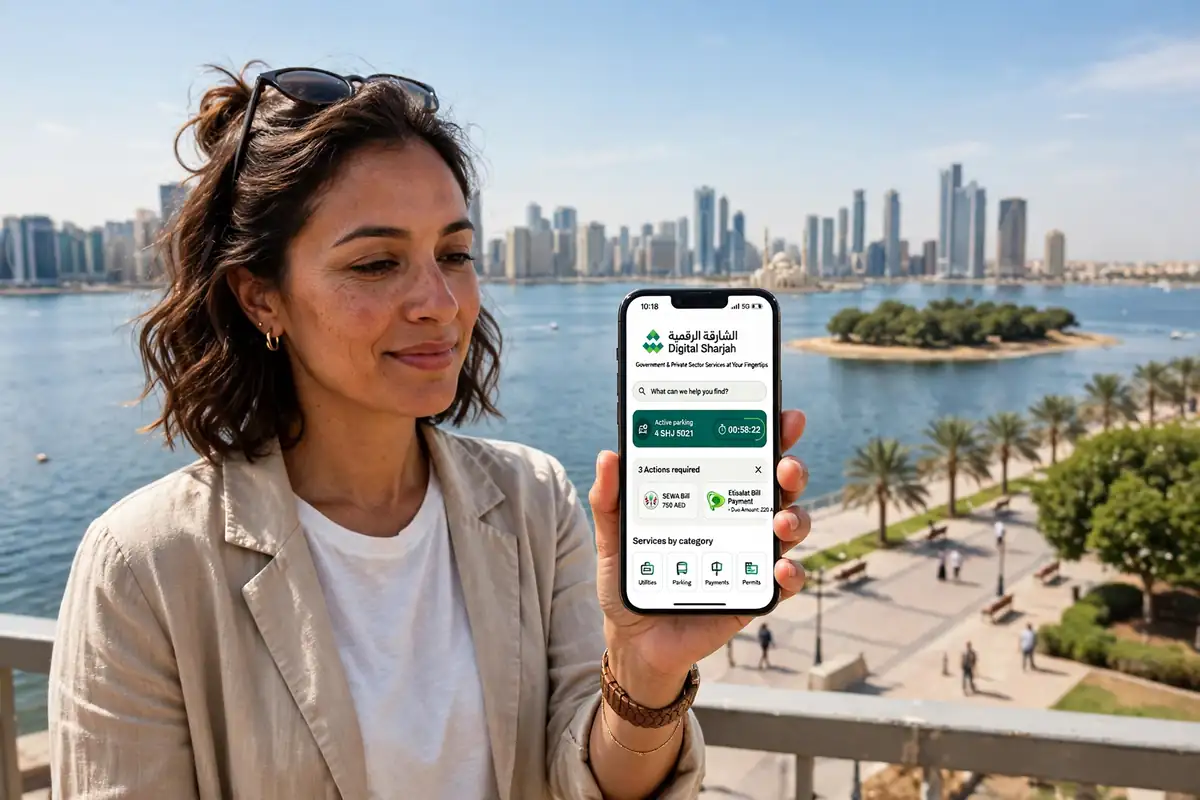
Sharjah puts its government services in one place. The place is the Digital Sharjah app. You pay a SEWA bill, book a taxi, and pay a parking fee from the same screen. Here is how to use the Digital Sharjah app UAE, from download to first payment. BoloSara24 checked the facts on the UAE Government portal and the Sharjah Digital Department site on 29 November 2026.
Quick Answer: Download Digital Sharjah from the App Store or Google Play. Log in with UAE PASS. Pick a service from the seven groups. Pay with a card, Apple Pay, Google Pay, Samsung Pay, or Tahseel. Save the receipt.
What the Digital Sharjah app UAE gives you
Digital Sharjah is a smart app and website run by the Sharjah Digital Office. It gives Sharjah government services 24 hours a day, 7 days a week, on one screen. The platform now lists 70 government services from 19 government bodies. It started with 41 services in seven groups back in November 2021. The groups are business, transport, utilities, social services, general, real estate, and security.
The Digital Sharjah app UAE serves three groups of people. Citizens find social services and government aid. Residents manage business, real estate, and licences. Guests use transport, utilities, culture, and fun services during a visit. Each group sees the services that fit it.
You can also use the web portal at ds.sharjah.ae if you prefer a big screen. The app and the site hold the same services. Your UAE PASS login works on both. Pick the screen you like best.
Note: Digital Sharjah is for Sharjah services only. An Abu Dhabi job lives in TAMM. A Dubai job lives in a Dubai app. Use the app of the right emirate.
How to set up the Digital Sharjah app UAE
Set up is short. You need a phone, net access, and a UAE PASS account. The app uses UAE PASS to know who you are. If you lack UAE PASS, set it up first on your phone.
Step 1: Download the app. Open the App Store or Google Play. Search for “Digital Sharjah”. Check the maker name. It must link to the Sharjah Digital Office. Download it. It is free.
Step 2: Log in with UAE PASS. Open the app. Tap login. Pick UAE PASS. Approve the login in the UAE PASS app. Digital Sharjah pulls your name and ID details from UAE PASS. You don’t type them by hand.
Step 3: Pick your group. Tell the app if you are a citizen, a resident, or a guest. The home screen then shows your services first. You can change this later in settings.
Step 4: Add a payment way. Link a card, Apple Pay, Google Pay, or Samsung Pay. Tahseel also works for many fees. Add the payment way before you need it in a rush.
Tip: Try a small payment first. Pay a parking fee or a small SEWA bill. Save the receipt. If the test works, trust the app for bigger jobs.
Mariam lives in Al Majaz in Sharjah. She paid her SEWA bill in the app on a Friday night. She booked a ladies taxi for Saturday morning in the same app. She checked her flight time for a Sunday trip too. Three jobs, one app, no office visit.
Pay bills, fines, and parking in the Digital Sharjah app UAE
Bills are the top use of the app. Open the utilities group. Pick SEWA to pay your power and water bill. Pick Etisalat to pay a phone bill or top up credit. Type the account number once. The app saves it for next time. Check the amount. Pay. Save the receipt.
Transport fines sit in the transport group. You can pay Sharjah RTA fines and Sharjah Municipality vehicle fines in the app. Type your plate number with care. One wrong digit can pay the wrong car. Check the fine details on screen before you pay.
Public parking fees also work in the app. Pay the fee for your zone and time. Keep the receipt on your phone. A traffic warden can ask to see it. If you rent a home in Sharjah, read tenant rights in Sharjah UAE. You will know what your landlord can and can’t do.
Do you need cash for a fee? Most fees in the app take a card or a phone wallet. You don’t need cash at a counter. If a fee fails, check your card limit first. Then try a second card. Then call the call centre on 06-5017717.
Business, transport, and social services
Business owners can do a lot in the app. You can book a trade name for a new firm. You can check licence fees. You can file a consumer complaint. You can ask about a service agent complaint. The business group holds these jobs in one place.
Transport covers more than fines. You can book a taxi in the app. Pick a normal taxi, a family taxi, a ladies taxi, a taxi for People of Determination, or a limousine. You can check flight times at Sharjah International Airport. The app shows the flight state for your trip.
Social services help people who need care. The Sharjah Social Services Department offers aid and home care for senior citizens and People of Determination. The RAHMA service offers home nursing for low-income residents who need it. These services need checks first. The app tells you which papers to send.
Real estate jobs sit in the app too. You can look up real estate services for your home or shop. Security services let you report abuse and harm to Sharjah Police through the app. In a live danger, call 999 first. The app is for reports, not for a live emergency.
Example: Rashid runs a small shop in Al Qasimia. He booked his trade name in the app on a Monday. He checked his licence fee on Tuesday. He paid his SEWA bill on Wednesday. He did all three jobs from his shop counter. He saved a full day of office trips.
Need a paper for a new baby? Read how to get a birth certificate in UAE. A People of Determination card in UAE can open support services for a family member who needs care.
Common mistakes
Five mistakes cause most trouble in the app. The BoloSara24 team lists them here so you can skip them. First, people log in as a guest and then can’t find a service that needs login. Log in with UAE PASS for full access. Second, people pay a bill with a wrong account number. Check the number twice. Third, people skip the receipt. Save every receipt in the app. A receipt proves you paid.
Fourth, people use the app for a live emergency. Call 999 for police, 998 for an ambulance, and 997 for civil defence. Fifth, people trust a fake app with a close name. Download from the official store only. Check the maker name.
If a service fails in the app, try the web portal at ds.sharjah.ae. BoloSara24 finds the portal works when the app won’t open. The same login works there. If both fail, call the call centre on 06-5017717. Tell them the service name and the error words on screen. Rent in a nearby emirate? Read how to rent an apartment in Abu Dhabi UAE if you plan a move to the capital.
Frequently Asked Questions
Is the Digital Sharjah app free?
Yes, it is free to download and use. You pay only the official fee of the service itself. A SEWA bill or a fine costs the same in the app as at a counter.
Do I need UAE PASS for Digital Sharjah?
Yes, for most services you do. The UAE Government portal says you must hold a UAE PASS account to use the services. A few parts work as a guest. Log in for payments and applications.
How many services does Digital Sharjah hold?
The Sharjah Digital Department site lists 70 government services from 19 government bodies. The count can grow as new services join the platform. Check the app home screen for the latest list.
Can I pay SEWA bills in the app?
Yes, you can. Open the utilities group and pick SEWA. Type your account number. Check the amount and pay with a card or a phone wallet. Save the receipt.
Can guests use the Digital Sharjah app UAE?
Yes, they can. The platform serves citizens, residents, and guests. Guests can use transport, utilities, culture, and fun services. Some services need an Emirates ID.
What if a payment fails in the app?
Check your card limit and your net first. Try again once. If it still fails, call the call centre on 06-5017717. Keep the error words on screen ready. Don’t pay the same bill twice without a check. Read UAE visa fees for visit and residence visas if your next job is a visa payment.
Official Sources
UAE Government portal on Digital Sharjah: what the platform is and how to log in.
Sharjah Digital Department: service count, bodies, and call centre number.
UAE PASS official site: the login Digital Sharjah uses.
Disclaimer: BoloSara24 is an independent guide. It is not a government body. App screens can change with updates. Check the official portal first if a step looks new.
Last Updated: 29 November 2026.