The short answer
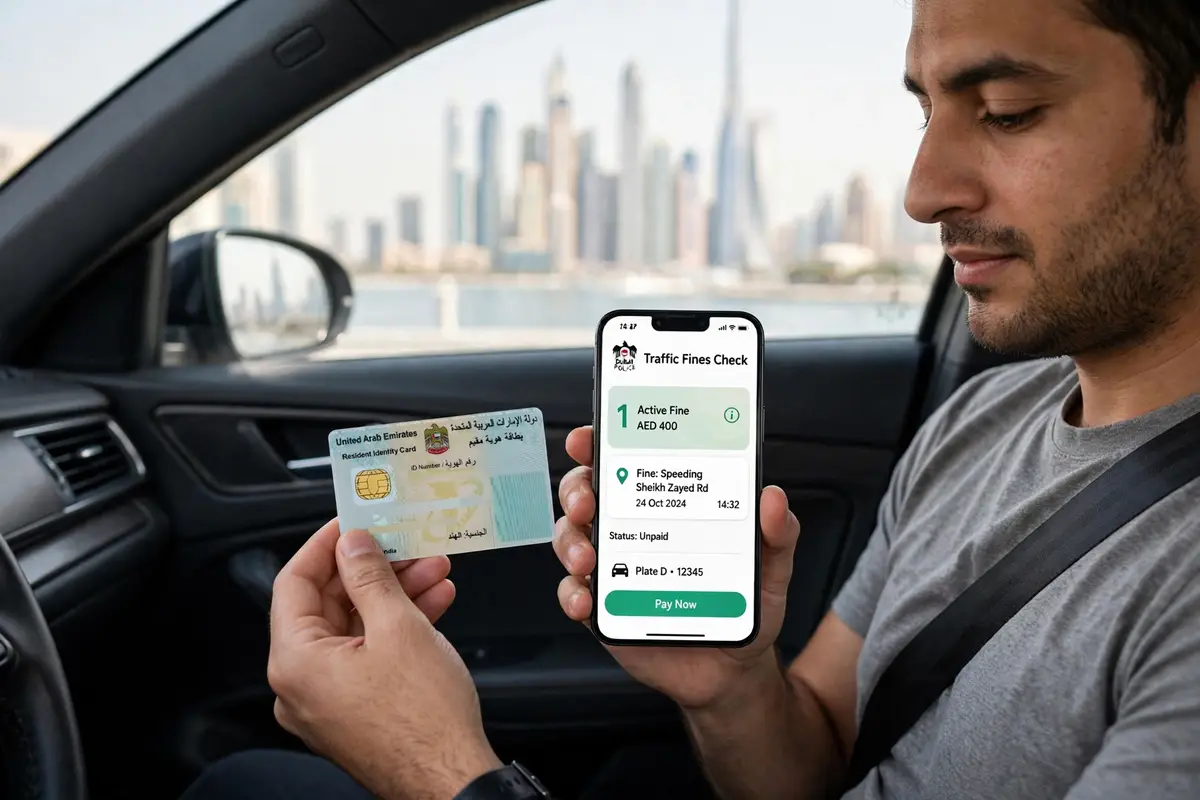
You can check UAE traffic fine by Emirates ID on the MOI UAE app or the MOI website. The Ministry of Interior runs the federal traffic system. It covers fines from all seven emirates in one place. Sign in and type your Emirates ID number. The screen shows each fine with its date, place, amount and black points. Dubai and Abu Dhabi also run their own apps. The MOI app stays the best first stop when you do not know which emirate issued the fine.
Quick Answer: Open the MOI UAE app. Sign in with UAE Pass. Open Traffic Fines Payment. Search with your Emirates ID number. The check is free. Pay by card or a digital wallet and save the receipt.
Many drivers lose track of a fine. A camera can record a small breach on Sheikh Zayed Road. The SMS may go to an old number. The fine then sits on your file for months. It can block your car renewal later. A quick check with your Emirates ID stops that surprise. BoloSara24 checked each step in this guide on the official pages on 29 November 2026.
Why your Emirates ID finds your fines
Your Emirates ID number links to your traffic file. The traffic file holds your licence, your cars and your fines. One search with the ID can pull fines from more than one car. A plate search shows fines on one car only. You may have sold a car in 2025. A fine from that car can still sit on your traffic file. An ID search will find it.
Ahmed lives in Al Barsha in Dubai. He sold his old Nissan in March 2026. A plate check on the new car showed zero fines. In June 2026 he ran an ID check on the MOI app. It showed one AED 400 fine from February 2026 on the old car. He paid it the same day. That one check saved him a blocked renewal later in the year.
Tip: Keep your traffic code number saved in your phone notes. The traffic code links to you, not to one car. Pair it with your Emirates ID check for a full sweep.
How to check UAE traffic fine by Emirates ID on the MOI app
The MOI UAE app is the federal route. It works for Sharjah, Ajman, Ras Al Khaimah, Umm Al Quwain and Fujairah. It also shows Dubai and Abu Dhabi fines.
How to Check: Download the MOI UAE app. Sign in with UAE Pass. Tap Traffic Fine Payment. Pick Emirates ID as your search key. Type your 15 digit number. Tap search. Pay by card or a digital wallet. Save the digital receipt.
The MOI service page lists your Emirates ID and driving licence as the required documents. The website and the app both run 24 hours a day. A receipt lands in your inbox right after payment. That’s your proof when a fine still shows as unpaid a week later.
Do you need UAE Pass for the MOI check? Yes. The app asks you to sign in with UAE Pass first. Set it up once with your Emirates ID and a face scan. One tap then signs you in to MOI, TAMM and RTA.
Note: A new fine can take a few days to show on the portal. Cameras send the record to the system first. The fine then posts to your file. Check again after three or four days when you expect a fine and see nothing.
Check UAE traffic fine by Emirates ID in Dubai
Dubai runs its own fine system next to the federal one. Dubai Police and RTA Dubai both show Dubai fines. Both are free.
Open the Dubai Police app or the Dubai Police website. Open Services, then Traffic Services, then Fines Inquiry and Payment. Search by plate, traffic code number, licence number or ticket number. The result lists each fine with its date, place, amount and black points. Sign in with UAE Pass to see your black points total.
Open the RTA website or the RTA Dubai app. Use the Check Your Fines box on the home page. Search by traffic file, plate, licence or fine number. Log in with UAE Pass for the full view. The RTA search also shows fines from other emirates. You can pay for someone else too. Tap Pay Fines for Others and type their plate, licence, traffic file or fine number.
RTA adds an AED 20 Knowledge and Innovation fee to each fine you pay through its channels. Dubai Police does not add that fee on its own channel. The fine amount stays the same. Only the channel fee differs. Pick Dubai Police when you want to skip the extra AED 20 per fine.
Example: Sara drives a Dubai plated car. She got two fines in one month: AED 400 and AED 600. She paid both on the Dubai Police app. Her total was AED 1,000. The same two fines on the RTA channel would have cost AED 1,040. The AED 20 fee applies to each fine.
Check UAE traffic fine by Emirates ID in Abu Dhabi
Abu Dhabi moved its traffic services to TAMM. TAMM is the Abu Dhabi government services platform. It is the main place to check and pay Abu Dhabi fines. The Abu Dhabi Police website points you to TAMM for the same service.
Sign in to TAMM with UAE Pass. Open Vehicles and Driving, then Traffic Fines. Search by plate number, traffic code or Emirates ID. Each fine shows its date, place, amount, black points and payment state. Pay the fines you pick by card.
Abu Dhabi pays you back for speed. Pay within 60 days of the offence and you get 35 percent off most fines. Pay after 60 days and up to one year and you get 25 percent off. The discount shows only on TAMM. The MOI app shows the full amount with no discount. Check on MOI, then pay on TAMM for Abu Dhabi fines. Read our guide to the UAE traffic fine discount for the full rules.
Sharjah gives the same 35 percent discount for payment within 60 days. You get 25 percent after that up to one year. Dubai has no standing discount of this kind. Don’t trust a text message that promises a 50 percent Dubai discount. Open the app yourself.
What each official portal shows you
Read the offence line first. It names the rule you broke. Read the date, time and place next. Match them with your own trips. Read the amount and the black points on your licence. Points sit on your licence for 12 months. Reach 24 points in 12 months and your licence faces suspension.
Some fines show as non payable. That tag means the fine needs a step before payment. You may need to move black points to a licence first. The portal tells you the next step. Follow it.
What you need before you start the check
Keep three things in hand. First, your Emirates ID number. It has 15 digits. Type it with care. One wrong digit pulls up nothing. Second, your UAE Pass login. Third, your traffic code number when you have it. Read our guide to open an RTA traffic file in the UAE when you need a new traffic code.
Checklist: Emirates ID number ready. UAE Pass installed and signed in. Traffic code number saved. Plate number and plate code for each car you own. A card for payment. A folder in your phone for receipts.
Common mistakes with an Emirates ID fine check
Most failed checks come from small slips. Learn the common ones here and skip them.
Common Mistakes: You check only by plate and miss a fine on your traffic file. You trust a fine check site that is not a government site. You pay through a link in an SMS. You check once and never check again. You ignore a fine for months and it blocks your renewal.
Fake fine sites are a real risk in the UAE. A site may look like RTA or Dubai Police. It may promise a 50 percent discount. It asks for your card and your ID number. Real government sites end in gov.ae. Type the address yourself. Never tap a fine link in a text message. BoloSara24 readers should treat every fine SMS with care.
A second mistake is the one time check. A driver checks in January and feels safe for the year. A camera fine from March can sit unpaid till renewal time in October. Set a monthly check on the first day of each month. It takes three minutes. BoloSara24 suggests this habit to every driver in the UAE.
A third mistake is to pay the wrong fine first. Say you owe AED 400 and AED 1,000. The AED 1,000 fine may carry 12 black points and a 30 day impound. Pay the serious one first when money is tight. Read the points and the impound line before you pick.
What to do after you check UAE traffic fine by Emirates ID
A clean result needs no action. Save a screenshot with the date. An unpaid fine needs a plan. Pay it at once when you can. Pay the oldest fine first when you cannot pay all of them.
Think a fine is wrong? You can object. Dubai Police takes objections on its app and at its traffic offices. Abu Dhabi Police takes objections on its app and on phone 800 3333. Bring proof. A photo of your car in a different emirate on that date helps. Object fast. Time limits apply. Our guide to dispute a traffic fine in the UAE lists the steps for each emirate.
Do you owe a large total? Dubai Police lets you split Dubai fines over AED 3,000 into zero interest instalments through partner banks. The plan runs for 3, 6, 9 or 12 months. Read our guide on how to pay a UAE traffic fine in instalments for the steps and the bank list.
Do and Dont: Do check with your Emirates ID once a month. Do save every payment receipt. Do pay Abu Dhabi fines on TAMM for the discount. Don’t pay through an SMS link. Don’t share your ID number on a non government site. Don’t ignore a fine till renewal week.
Frequently Asked Questions
Can I check UAE traffic fine by Emirates ID for free?
Yes. The MOI app, the Dubai Police app, the RTA app and TAMM all offer the check for free. You pay only the fine amount when you choose to pay.
Can I check UAE traffic fine by Emirates ID without UAE Pass?
Yes, on some channels. The RTA website lets you search by plate or traffic file without a login. The MOI app asks for UAE Pass sign in first. Set up UAE Pass once. It unlocks the full view on every portal.
Why does my Emirates ID check show no fine but my plate check shows one?
The two searches look at different records. A plate search shows fines on that car, no matter who drove it. An ID search shows fines tied to your traffic file and licence. Run both searches.
How long does a new fine take to show on the MOI app?
A new fine can take a few days to post. Check again after three or four days.
Can I check UAE traffic fine by Emirates ID for someone else?
You can pay a fine for someone else with their plate, licence, traffic file or fine number. You can’t pull up their full file with your login. They need to run their own ID search first.
What happens when I do not pay a traffic fine in the UAE?
The fine stays on your traffic file. It can block your car registration renewal and a licence renewal. It can also block a residence visa renewal in Dubai. Pay early. Abu Dhabi and Sharjah cut 35 percent off most fines paid within 60 days.
Official Sources
Ministry of Interior: Traffic Fines Payment service for all seven emirates, with Emirates ID and licence as the required documents.
Dubai Police: Fines Inquiry and Payment service, with search by plate, traffic code, licence or ticket number.
Dubai Police news on smart traffic fines: October 2026 report on fines caught by smart systems, with phone use and seat belt amounts.
RTA Dubai: Pay Dubai Traffic Fines service, with traffic file number and licence holder date of birth as the required details.
Abu Dhabi Police: Traffic Fine Inquiry service, which points drivers to TAMM for payment.
TAMM Abu Dhabi: Traffic Fines service on the Abu Dhabi government platform, with the 35 percent early payment discount.
UAE Government Portal: The official portal that lists the traffic fine schedule under Ministerial Resolution 178 of 2017.
Disclaimer: This guide gives general facts only. Fine amounts and portal steps can change. Check the live page on the official portal before you pay. BoloSara24 is an independent guide. It is not a government body.
Last Updated: 29 November 2026.