How to use Apple Pay in UAE
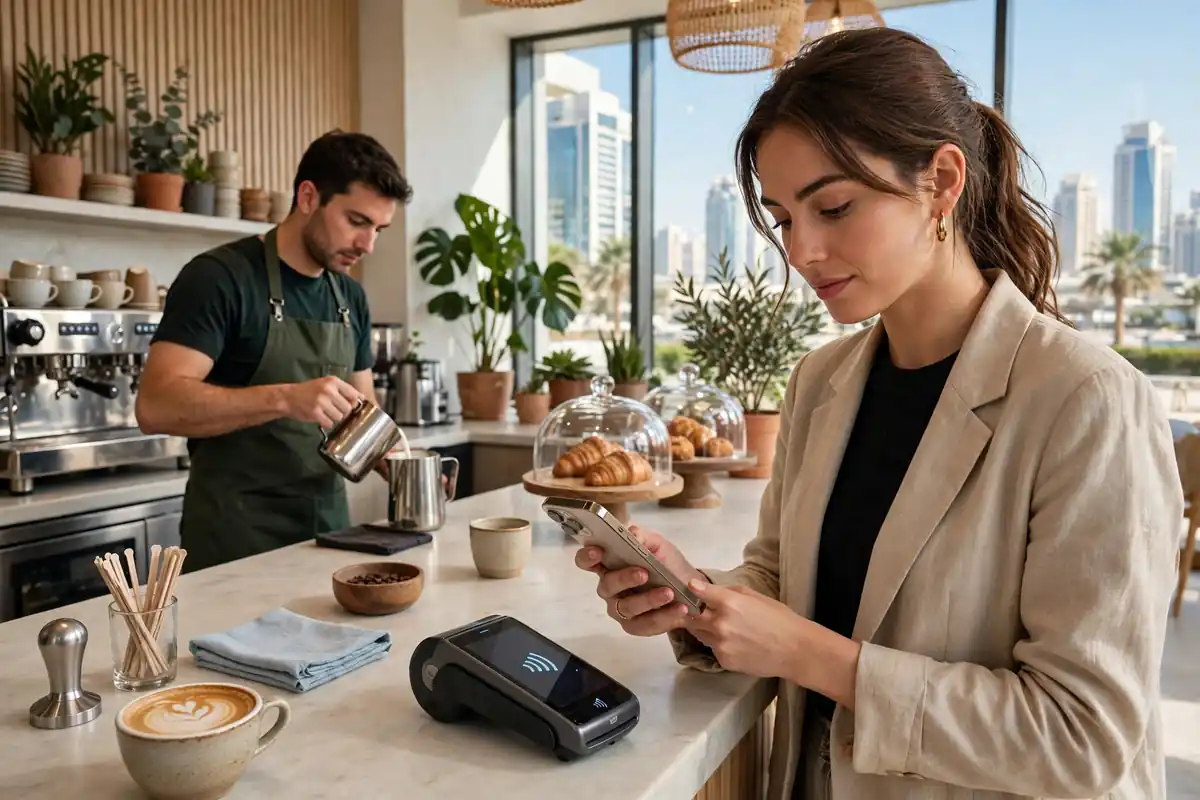
You queue at a Dubai coffee shop. The line moves fast. You tap your iPhone on the reader. The till beeps. Done. No wallet. No card. No PIN typed in front of a crowd.
That tap is Apple Pay in UAE. It turns your iPhone, Apple Watch, iPad or Mac into your card. You add your UAE bank card once. Then you pay with your face or your finger. Shops, apps and sites across the UAE take it now.
BoloSara24 checked the steps in this guide on the FAB, Emirates Islamic and NBF official pages on 29 November 2026. Apple Pay launched in the UAE in October 2017 with six banks. More banks joined since then.
Quick Answer: Open the Wallet app on your iPhone. Tap the plus sign. Add your UAE debit or credit card. Your bank checks the card with a code sent to your phone. Then double-click the side button and hold your phone near the reader to pay. Apple Pay in UAE works at any shop that shows the contactless or Apple Pay mark.
What is Apple Pay in UAE
Apple Pay is a wallet on your Apple device. It holds a safe digital copy of your real card. It does not hold your real card number on the shop reader. Each buy uses a device number and a one-time code. The shop never sees your full card facts. It can't store what it never sees.
You pay the same way as with your card. You don't type a PIN for most small buys. The money leaves the same bank account. Your bank statement shows the same shop name. The tap only changes how you prove it is you. Your face or finger replaces the typed PIN for most small buys.
Apple Pay in UAE works with Visa and Mastercard cards from many UAE banks. Apple lists Emirates NBD, ADCB, Mashreq, HSBC, RAKBANK, Standard Chartered, Emirates Islamic and Sharjah Islamic Bank on its UAE page. FAB and NBF also publish their own Apple Pay pages.
What you need before you start
Check four things before you add a card. First, you need an iPhone, Apple Watch, iPad or Mac that takes Apple Pay. Most iPhones from iPhone 6 onward work. Second, your device region must be the UAE. Third, you need an Apple Account signed in on the device. Fourth, you need a card from a bank that backs Apple Pay in UAE.
You also need your bank app open. Your bank sends a code to check the card by text or inside its app. Keep your registered mobile number active. A dead SIM stops the setup.
How to set up Apple Pay in UAE on iPhone
Setup takes about five minutes. Follow these steps.
Step 1. Open Wallet
Open the Wallet app on your iPhone. Tap the plus sign at the top. Pick Debit or Credit Card. Tap Continue.
Step 2. Add your card
Point your camera at your card. The phone reads the number and name. You can also type the card facts by hand. Add the expiry date and the security code from the back of the card. Check each digit before you move on.
Step 3. Let your bank check the card
Your bank checks the card now. It may send a one-time code to your phone. Type that code in Wallet. Some banks ask you to approve the card inside their own app. Some banks call you to check. Finish the check your bank asks for. The card turns active in Wallet once the bank says yes.
Step 4. Pick your main card
The first card you add turns into your main card. Apple Pay uses it first at each tap. You can add more cards after that. You won't pay a fee to add a card. Emirates Islamic says you can add up to 8 cards on each device. The same card can sit on many devices at once.
You can also add a card straight from your bank app. FAB says to open FAB Mobile, go to Cards, pick your card and tap Add to Apple Pay. This path skips the camera step.
Tip: Add your card while you sit at home on Wi-Fi. A calm setup beats a rushed one at a shop till. BoloSara24 will update this list when Apple adds a new bank. Test the first tap at a small shop. Buy a coffee for AED 15 before you trust it for a big buy.
How to pay with Apple Pay in UAE in shops
Paying in a shop takes seconds. Look for the contactless mark or the Apple Pay mark at the till. The shop must take contactless cards for the tap to work. Most malls, marts, fuel stations, taxis and food spots in Dubai and Abu Dhabi take it now.
On an iPhone with Face ID, double-click the side button. Look at your phone to pass Face ID. Hold the top of your phone near the reader. Wait for Done on the screen. You feel a small buzz and hear a beep. That buzz means the shop took the payment.
On an iPhone with Touch ID, rest your finger on the button and hold the phone near the reader. On an Apple Watch, double-click the side button and hold the watch near the reader.
If the till asks for a PIN, type your card PIN on the reader. Large buys may still need a PIN. That rule comes from your bank and the shop, not from Apple.
How to pay with Apple Pay in UAE online and in apps
Apple Pay also pays online. It saves you from typing card facts on each site. Look for the Apple Pay button at checkout in an app or on a site in Safari. Tap it. Check the amount and the card shown. Confirm with Face ID, Touch ID or your passcode. Done. The site never sees your card number.
On a Mac in Safari, pick Apple Pay at checkout. Finish the buy with your iPhone, Apple Watch or a Mac with Touch ID. The RTA Dubai app takes Apple Pay for nol top-ups and car papers.
Example: Mariam lives in Dubai Marina. She buys groceries at a mart near her tower each week. She added her Emirates NBD debit card to Wallet on a Sunday. She had read how to apply for a credit card in UAE first. On Monday she paid for AED 210 of groceries with a double-click and a tap. On Tuesday she paid for a taxi to Mall of the Emirates the same way. She never took her wallet out of her bag all week. Her bank statement showed each shop name as normal.
Which UAE banks work with Apple Pay
The list grows each year. Apple Pay launched in the UAE in October 2017 with six banks. Those six were Emirates NBD, Mashreq, HSBC, RAKBANK, Standard Chartered and Emirates Islamic. The list on Apple UAE page now adds ADCB and Sharjah Islamic Bank. FAB and NBF publish their own Apple Pay pages too.
| Bank | Cards that work |
|---|---|
| Emirates NBD | Debit and credit cards |
| Emirates Islamic | All Visa credit, debit and prepaid cards |
| Mashreq | Debit and credit cards |
| HSBC | Visa and Mastercard credit and debit cards |
| RAKBANK | Mastercard credit, debit and prepaid cards |
| Standard Chartered | Debit and credit cards |
| ADCB | Debit and credit cards |
| Sharjah Islamic Bank | Debit and credit cards |
| FAB | Credit and debit cards |
| NBF | Credit and debit cards |
Check your own bank page before you add a card. BoloSara24 readers should check the bank page first, not a blog post. A bank can back one card type and not another. A prepaid card may work at one bank and fail at another. Your bank app shows the true state for your card.
How to change your main card
Your main card is the one Apple Pay picks first. Change it in two taps. Open Wallet. Touch and hold the card you want first. Drag it to the front of the stack. That card turns into your main card. Or go to Settings, then Wallet and Apple Pay, then Default Card, and pick a new card there.
To pay with a different card for one buy only, open Wallet at the till. Pick the card you want. The main card stays the same.
What to do if your card will not add
A card can fail to add for a plain reason. Work through this list.
Your card type may not be backed. If it won't add, ask your bank if that exact card works with Apple Pay in UAE. A salary prepaid card often fails. A global cash card often fails too.
Your device region may be wrong. Set your region to United Arab Emirates in Settings. Sign out and back in to your Apple Account if the region just changed.
Your bank may need a fresh check. Call the bank on the number on the back of your card and check the bank charges for your card. Ask if Apple Pay is on for your card. Ask the agent to clear any block on the card.
Your phone software may be old. Update iOS to the latest version. Then try to add the card again.
Lost phone or lost card
Act fast if your phone is lost or stolen. Use Find My on another Apple device or on iCloud.com. Mark the phone as lost. That step locks Apple Pay on that phone. No one can tap and pay with it.
If your real card is lost, call your bank at once. Emirates Islamic says you can call 600 599 995 to stop or delete a card from Apple Pay. When you get a new card, add it to Wallet. A new debit card needs a fresh add. You can't use the old card record once the bank blocks it.
Is Apple Pay safe in UAE
Apple Pay is safe when you keep your phone locked. Your face or finger must pass before each tap. A thief with your phone but not your face cannot pay. A shop never sees your full card number. Each buy uses a one-time code that works once only.
Keep your phone lock on. Use a strong passcode as a backup to Face ID. Never share your Apple Account password. Turn on Find My before you need it. Don't add a card on a phone you do not own.
Do you still carry your wallet for each shop trip? Try one week with Apple Pay as your main way to pay. Most readers find the phone tap faster than a card search at the till.
Frequently Asked Questions
How do I set up Apple Pay in UAE?
Open Wallet on your iPhone. Tap the plus sign. Pick Debit or Credit Card. Scan your card or type its facts. Your bank checks the card with a code. The card turns active once the bank says yes.
Which banks support Apple Pay in UAE?
Emirates NBD, ADCB, Mashreq, HSBC, RAKBANK, Standard Chartered, Emirates Islamic and Sharjah Islamic Bank sit on the Apple UAE list. FAB and NBF also publish Apple Pay pages. Check your bank page for your exact card type.
Can I use Apple Pay in UAE shops without my card?
Yes. Pay with your iPhone or Apple Watch at any shop that shows the contactless or Apple Pay mark. Double-click the side button, pass Face ID and hold the phone near the reader.
Does Apple Pay in UAE work for online shopping?
Yes. Pick Apple Pay at checkout in apps and on sites in Safari. Confirm with Face ID, Touch ID or your passcode. The site never sees your card number.
How many cards can I add to Apple Pay in UAE?
Emirates Islamic says you can add up to 8 cards on each device. The first card you add turns into your main card. Change the main card in Settings under Wallet and Apple Pay.
What do I do if my iPhone is lost with Apple Pay on it?
Mark the phone as lost in Find My at once. That locks Apple Pay on that phone. Then call your bank and ask it to block the real card if the card is also lost.
Official Sources
- FAB: Apple Pay: Add a FAB card from FAB Mobile and pay in shops, apps and online.
- Emirates Islamic: Apple Pay: Setup steps, where Apple Pay works and card limits per device.
- NBF: Apple Pay and Google Pay: NBF setup steps for Apple Pay and Google Pay on its cards.
Disclaimer: BoloSara24 gives general facts, not financial advice. Bank lists and steps change over time. Check your bank page and the Apple UAE page for the latest list before you add a card. Use only your own card on your own device.
Last Updated: 29 November 2026.