Get Salik Tag UAE Before You Drive Through a Toll Gate
To get Salik tag UAE drivers need a small RFID sticker on the windscreen and a Salik account with balance. Dubai has no cash toll booths. Overhead gates read the tag as you drive past. The fee leaves your account on its own. Buy the tag and switch it on before your first trip through a gate. BoloSara24 checked the steps on the Salik site, the RTA site and the Dubai government portal on 29 November 2026.
Quick Answer: Buy the tag online at salik.ae or at a petrol station. The online pack costs AED 122.50 with delivery and VAT. The station pack costs AED 102.50. A tag bought online switches on by itself after payment. A tag bought at a station needs manual activation on salik.ae, the Smart Salik app, the RTA Dubai app or by phone on 800 72545.
Omar moved to Dubai in October 2026. He bought his first car on a Tuesday. He ordered a Salik tag on salik.ae the same night. The tag reached his flat on Thursday. It was already active. He drove through the Al Barsha gate on Friday and the AED 4.20 off peak fee left his account with no fuss. Order early and your first week of driving stays simple.
What a Salik Tag Is
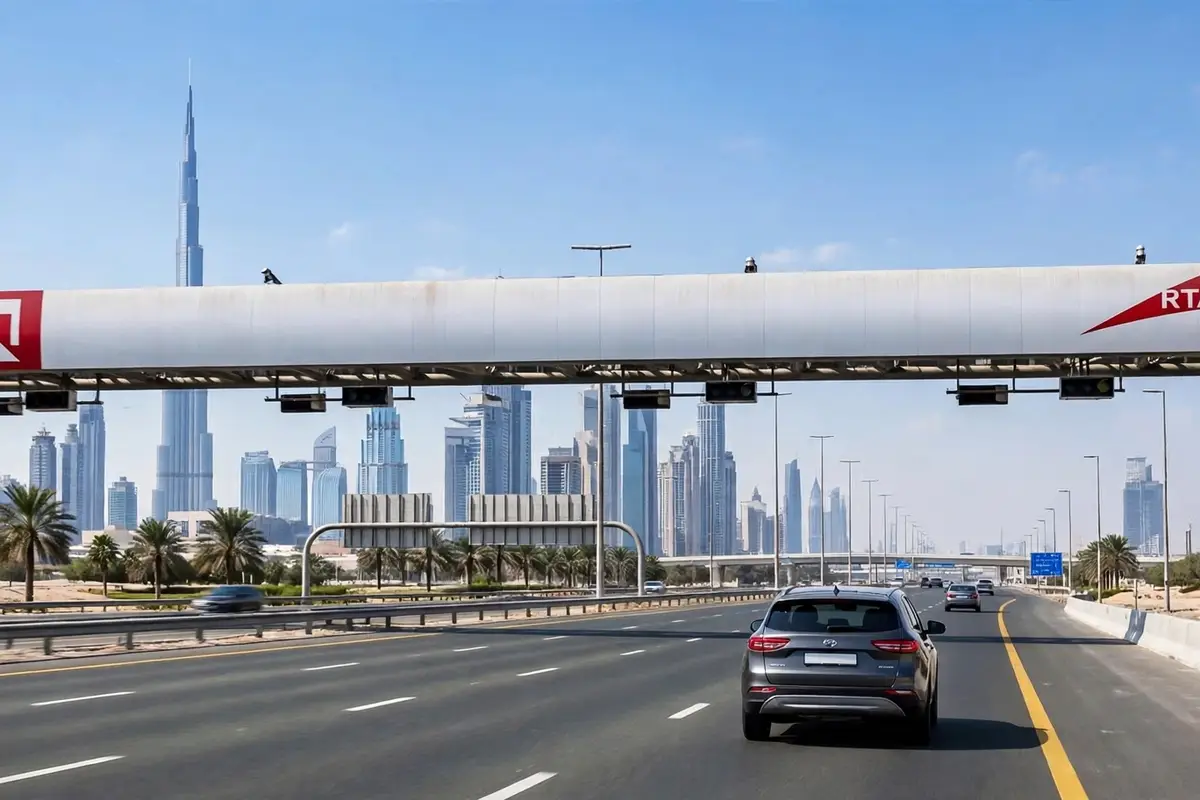
Salik is the Dubai toll system. Ten gates sit on busy roads like Sheikh Zayed Road, Al Khail Road and Al Ittihad Road. Each gate has a sensor above the road. The sensor reads the tag on your windscreen. No barrier drops. No booth stops you. The toll leaves your prepaid balance in seconds.
One tag fits one car. You can’t move a tag from one car to another. If you sell the car, take the tag off or close it on your account. If you buy a second car, buy a second tag. A tag with no balance still gets read at the gate. The trip then sits as an unpaid trip until you top up.
Good to Know: The tag works only in Dubai. Abu Dhabi runs a separate toll system called Darb. A Salik tag does not pay Darb tolls.
Where to Get Salik Tag UAE Drivers Can Use
You can buy a tag in four ways. Pick the one that fits your day.
- Online at salik.ae, delivered to your home or office.
- In the Smart Salik app on your phone.
- At selected Emarat, ENOC, EPPCO and ADNOC petrol stations.
- In the Careem app or at an AW Rostamani showroom.
Online purchase suits UAE registered cars. The site asks for the plate number from the Mulkiya and a UAE mobile number. It sends a one time code to that number. You pay by card. The tag arrives at your door in a few working days, and you don’t need to do anything else.
A station purchase suits a driver who needs a tag today. You pay at the counter and walk out with the pack. The pack holds the tag, the tag number and an activation key. Keep the pack safe until the tag is active.
How Much a Salik Tag Costs
The price has three parts. The tag itself costs AED 50. The pack adds AED 50 of prepaid toll credit to your account. Online orders add AED 20 for delivery. That made AED 100 at a station and AED 120 online before VAT.
VAT of 5% started on Salik tolls and tag fees on 1 June 2026. The tag fee of AED 50 now costs AED 52.50 with VAT. So the station pack now costs AED 102.50 and the online pack costs AED 122.50. The AED 50 prepaid credit stays as credit. Check the live price on salik.ae before you pay, as fees can change.
| Pack | Tag fee | Prepaid credit | Delivery | Total |
|---|---|---|---|---|
| Petrol station | AED 52.50 | AED 50 | AED 0 | AED 102.50 |
| Online at salik.ae | AED 52.50 | AED 50 | AED 20 | AED 122.50 |
Fees: Activation itself is free. You pay only for the tag, the prepaid credit and delivery if you order online.
How to Activate Your Tag
A tag bought online needs no extra step. Salik switches it on once your payment clears. You get a confirmation SMS. You can drive through a gate after that SMS arrives.
A tag bought at a station or through Careem needs manual activation. Do it before your first gate trip. Use one of these four ways.
- Open salik.ae and pick tag activation.
- Open the Smart Salik app and pick tag activation.
- Open the RTA Dubai app and find the Salik service.
- Call 800 72545 and press 4 for activation.
Keep the tag number and the activation key ready. The tag number sits on the back of the tag. Skip the letters DTS at the start. Type the plate number from the Mulkiya. Type your UAE mobile number. The system sends a code to that number. Type the code and the tag goes live.
How to Stick the Tag on the Windscreen
Fit the tag in the right spot or the gate may miss it. A missed read counts as a trip with no tag. Stick the tag on the inside of the front windscreen, about 1 cm below the rear view mirror. Press it flat. Don’t stick it on dark tint. On a metallic windscreen, use the dotted area near the mirror.
Do not stick the tag on the dashboard. Do not hold it in your hand at the gate. The sensor reads the tag only when it sits flat on the glass. Check the tag after a windscreen change. A new windscreen needs the tag fitted again in the same spot.
Tip: BoloSara24 suggests you test the tag on a short drive past one gate. Open the Smart Salik app after the trip. The trip should show in your account within a short time.
Link the Tag to Your Account
Your Salik account holds your cars, your tags and your balance. Link each tag to the right car on that account. Open salik.ae or the Smart Salik app. Add the car with the plate number from the Mulkiya. Add the tag number. Save it. The account then shows each trip and each fee for that car.
Top up the balance before it runs low. You can top up on salik.ae, in the Smart Salik app, in the RTA Dubai app or at a station. A low balance doesn’t stop the gate from reading your tag. The trip still counts. The fee waits until you top up. Top up within five days of the trip to stay clear of a fine.
Mariam drives from Sharjah to Dubai each morning for work. She tops up AED 100 on the first day of each month. Her daily trips cost about AED 8.40 in peak hours. The monthly top up covers her month with room to spare. A fixed top up day stops the balance from ever hitting zero.
What Happens If You Cross a Gate With No Tag
Dubai gives you 10 working days from your first unpaid trip to buy a tag, switch it on and fit it. Use those days. Don’t wait. After the 10 days, fines start. The fine ladder runs AED 100, then AED 200, then AED 400 for later trips with no tag.
A trip with no balance brings a different rule. Top up within five days of that trip. A late top up can bring a fine too. Open the app each week and check the trips list. It shows every gate you crossed and every dirham charged.
Warning: A fine grows if you keep driving with no tag. Buy the tag on day one and the ladder never starts.
Salik Tag Problems and Quick Fixes
Three problems come up most. Each has a simple fix.
- The tag does not read. Check the spot on the glass. Move it below the mirror and press it flat.
- The trip does not show. Wait a few hours. Trips can take time to appear in the app.
- The activation code never arrives. Check the mobile number on the account. Ask for a new code.
Call 800 72545 any time if the app cannot fix it. The line runs 24 hours. Keep your plate number and tag number ready before you call. The agent finds your account faster with those two numbers.
Frequently Asked Questions
How do I get Salik tag UAE drivers need for Dubai roads?
Buy it online at salik.ae or at a petrol station. The online pack costs AED 122.50 with delivery and VAT. The station pack costs AED 102.50.
Does a Salik tag bought online need activation?
No. Salik switches it on once your payment clears. You get a confirmation SMS and you can drive through a gate.
How do I activate a tag bought at a petrol station?
Use salik.ae, the Smart Salik app, the RTA Dubai app or call 800 72545 and press 4. Keep the tag number and activation key ready.
Where do I stick the Salik tag?
Stick it inside the front windscreen, about 1 cm below the rear view mirror. Do not put it on dark tint or on the dashboard.
What if I cross a gate with no tag?
You have 10 working days from the first unpaid trip to buy, activate and fit a tag. After that, fines start at AED 100 and rise to AED 200 and AED 400.
Can I use one Salik tag for two cars?
No. One tag fits one car only. Buy a separate tag for each car and link each tag to the right car on your account.
Official Sources
- Salik (salik.ae): Buy a tag, activate a tag, check trips and top up the Salik account.
- Roads and Transport Authority (RTA) Dubai: Salik services in the RTA Dubai app and toll rules for Dubai roads.
- Dubai Government Portal (dubai.ae): Road toll in Dubai: tag rules, toll rates and fines for trips with no tag.
- UAE Government Portal (u.ae): Official guide to Salik and road tolls in the UAE.
Read more on BoloSara24: how to top up Salik account in UAE, how to check Salik balance in UAE, Salik toll charges UAE explained, how to rent a car in UAE, how to renew car registration in UAE.
Disclaimer
BoloSara24 is an independent guide. It has no link with Salik, the RTA or the Dubai government. Toll rates, tag prices and fines change. Check the current figures on salik.ae before you pay or drive. This guide gives general facts only. It is not legal or financial advice.
Last Updated: 29 November 2026.