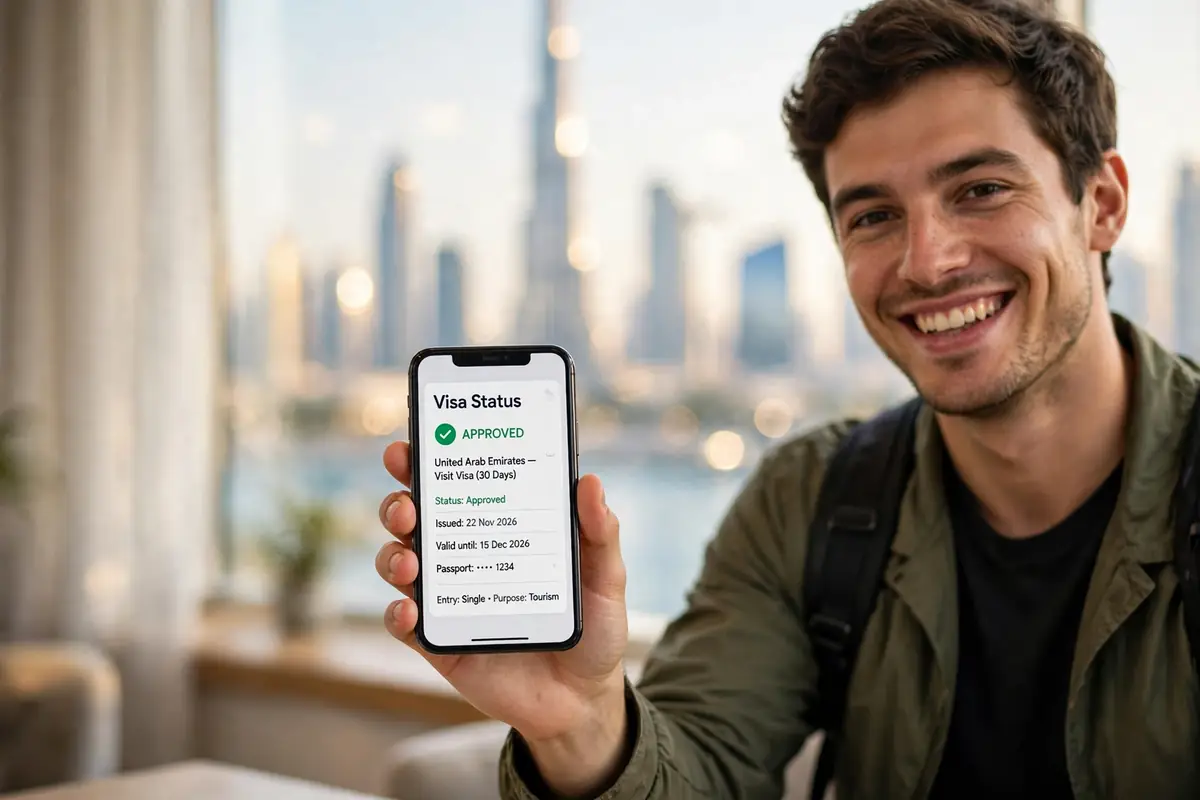
You applied for a UAE visa. Now you want to know where the file stands. The ICP app gives you that answer on your phone. You don’t need to call an agent or visit an office. This page shows how to check UAE visa status ICP app users rely on each day. Open the UAEICP app. Look up the file with the application number or the passport details. BoloSara24 checked the ICP home page on 29 November 2026. It names the Smart Services Platform and the UAEICP app as the official channels for visa work.
Quick Answer: Download the UAEICP app from your phone store. Sign in with UAE Pass or your ICP account. Open Visa Services and tap the status or track option. Type your application number or your passport number and nationality. The app shows the file status at once. Approved, under process or rejected are the main results.
What the UAEICP app is
UAEICP is the official app of ICP. ICP is the Federal Authority for Identity, Citizenship, Customs and Port Security. The app covers visas, Emirates ID and residence permits. It works for Abu Dhabi and the Northern Emirates. Those emirates are Sharjah and Ajman. Umm Al Quwain, Ras Al Khaimah and Fujairah are in the same group. Dubai visas run on GDRFA Dubai channels. A Dubai file may not show in the ICP app. Check the Dubai file on the GDRFA Dubai site instead.
The app is free. It runs on Android and iPhone. Search for UAEICP in your phone store. Check the developer name before you install it. The real app comes from ICP. A fake app can steal your passport details. ICP warns travellers about fake calls and fake sites that misuse its name and logo. The ICP home page says to use official and authorised channels only.
Ahmed lives in Lahore. His agent applied for his visit visa on Monday. Ahmed asked the agent for the application number the same day. He installed the UAEICP app on Tuesday. He typed the number and saw “under process”. He checked again on Thursday. The app showed “approved”. He printed the permit and packed his bag. He never called the agent once.
You need a phone with internet for the check. The app needs your passport number or your application number. Keep both near you. A wrong digit gives a wrong result. Type each digit slow and read it twice. That is all you need to check UAE visa status ICP app results each day.
What you need before you check
Keep three things ready. A phone with the UAEICP app. Your application number from the sponsor or agent. Your passport number and nationality. The app may ask for one or two of these. With these three things you can check UAE visa status ICP app results in one minute. It does not ask for your bank details. It does not ask for a payment to show a status. A status check is free.
Checklist: UAEICP app installed from the real store. Application number from your sponsor or agent. Passport number as it reads on the passport. Nationality as it reads on the passport. A stable internet link. Your phone charged and near you.
The application number is the key. The sponsor gets it when the file is sent. Ask for it in the first message after the sponsor applies. Write it on paper and save it on your phone. Some sponsors send it by WhatsApp. Save that message. Don’t delete it till you land in the UAE.
If you applied yourself on the ICP portal, the number sits in your account. Sign in to the Smart Services portal and open your requests. The number shows next to your file. Copy it with care. One wrong digit blocks the search.
Tip: Save the application number in two places. Put it in your phone notes and on a paper in your travel folder. A lost number means a call to the sponsor. A saved number means a check in one minute.
Steps to check UAE visa status ICP app
The steps stay the same for most users. The app screens may change with updates. The order stays close to this list.
- Open the UAEICP app on your phone.
- Sign in with UAE Pass or your ICP account.
- Open Visa Services from the home screen.
- Tap the status or track option for your file.
- Type your application number.
- Type your passport number and pick your nationality if the app asks.
- Tap search and wait for the result.
- Read the status and the file details on the screen.
- Save a screenshot for your own record.
The app shows one of a few results. “Under process” means the file is still with ICP. “Approved” means the entry permit is ready. “Rejected” means the file was refused. “Returned” means ICP needs one more paper. Read the full line on the screen. It may name the missing paper. Send that paper to your sponsor at once.
Do you need UAE Pass to use the app? No. UAE Pass is one way to sign in. An ICP account is another way. Pick the way that works for you. If you live outside the UAE, the ICP account path may suit you best. If you hold an Emirates ID, UAE Pass may suit you best. Both paths lead to the same status screen.
What each status means when you check UAE visa status ICP app
Each status tells you the next move. Read the status with care. Don’t guess the meaning.
Track Status: Under process means wait. The file is with ICP and no move is needed from you. Approved means download the entry permit and check the name and dates. Returned means send the missing paper fast. Rejected means the file was refused and you must ask the sponsor for the reason.
A returned file is not a rejected file. A returned file needs one fix. A sponsor can send the missing paper and the file moves again. A rejected file needs a fresh look. Ask the sponsor to read the reason on the portal. The reason may be a wrong paper or a rule that the file did not meet. Don’t apply again with the same wrong paper.
Some files stay under process for days. ICP lists a 2 day service time for a tourist entry permit once all needs are met. Real life often takes 2 to 4 working days. A file can take longer at busy times. Wait 2 working days before you worry. Then ask the sponsor to check the file on the portal.
Maria from Manila checked her family visa each morning. It stayed under process for 3 days. She called her sponsor on day 4. The sponsor found one missing paper. Maria sent it the same day. The app showed approved the next morning. Her daily check did not speed the file. Her fast reply to the missing paper did.
If the app shows no result
No result has a few causes. The most common cause is a wrong number. Check each digit of the application number. Check the passport number too. A single wrong digit hides the file. Type the numbers again with care.
The second cause is the wrong authority. A Dubai visa runs on GDRFA Dubai. The ICP app may not show a Dubai file. Check a Dubai file on the GDRFA Dubai site or the GDRFA app. Ask your sponsor which authority holds your file. A good sponsor names ICP or GDRFA Dubai at once.
The third cause is time. A file sent an hour ago may not show yet. Wait a few hours. Then check UAE visa status ICP app results again. The app updates as ICP moves the file. A check each hour does not move the file faster. Check once in the morning and once at night.
If the app still shows no result after 2 working days, call ICP on 600522222 inside the UAE. Call +971600522222 from outside the UAE. Keep your application number ready before you call. The ICP team can look up the file with that number. BoloSara24 checked the ICP contact page on 29 November 2026. The ICP phone number is 600522222 inside the UAE.
Warning: Never pay a person who promises to speed your status. No agent can change an ICP result. A status check is free on the official app. Any person who asks for money to show your status is not honest. Report such offers to ICP.
Mistakes that block a status check
Most blocks come from small errors. You can avoid them with a slow check of each number.
Common Mistakes: A wrong application number. A passport number with a missed digit. A wrong nationality picked in the app. A fake app from the wrong developer. A Dubai file checked on the ICP app. A check made minutes after the sponsor applied.
One traveller typed his old passport number by mistake. The app showed no result for 2 days. He called his agent in a panic. The agent read the new passport number from the file. The traveller typed the new number. The app showed approved at once. His permit had been ready for a day. One digit cost him 2 days of worry.
Keep your phone near you after you apply. The sponsor may call for one more paper. A fast reply keeps the file moving. To check UAE visa status ICP app users need only the app and the right number. The app does the rest. Check once a day. Act fast when the status changes. That habit keeps the plan safe.
BoloSara24 suggests you read how to apply for a UAE visit visa online. That page helps if you plan to apply yourself next time. That page shows the online path in plain steps. If a relative will sponsor you, read how to apply for a UAE family visa online. For Dubai files, see how to apply for a UAE visa at an Amer centre. See also how to apply for a UAE visa at a Tasheel centre. The UAE e-visa online guide lists the papers for the online path. You’ll see the same application number in each guide.
Frequently Asked Questions
How do I check my UAE visa status on the ICP app?
Open the UAEICP app and sign in. Open Visa Services and tap the status or track option. Type your application number or your passport number and nationality. The app shows the file status at once.
What do I need to check my UAE visa status on the ICP app?
You need the UAEICP app, your application number and your passport number. The app may also ask for your nationality. A status check is free. The app never asks for bank details.
Can I check a Dubai visa on the ICP app?
Dubai visas run on GDRFA Dubai. The ICP app may not show a Dubai file. Check a Dubai file on the GDRFA Dubai site or the GDRFA app instead.
What does under process mean on the ICP app?
It means ICP still holds your file. No move is needed from you yet. ICP lists a 2 day service time once all needs are met. Most files take 2 to 4 working days. You can check UAE visa status ICP app results again tomorrow.
What should I do if the ICP app shows no result?
Check each digit of the application number and the passport number. Check that the file sits with ICP and not with GDRFA Dubai. Wait a few hours and try again. Call ICP on 600522222 if no result shows after 2 working days.
Is the UAEICP app free to download?
Yes. The app is free on Android and iPhone. Search for UAEICP in your phone store. Check the developer name before you install it. The real app comes from ICP.
Official Sources
- ICP official site: Check visa services, the Smart Services Platform and the UAEICP app here.
- ICP Smart Services portal: Apply and track entry permits on the official ICP portal.
- GDRFA Dubai official site: Check Dubai visa services and fees here.
- UAE Government portal u.ae: Read official guidance on visit visas and Emirates ID.
Disclaimer: BoloSara24 is an independent guide. It has no link with the UAE government, ICP, GDRFA or any bank. Visa rules and fees change. Check the current fee and the current papers on the official ICP or GDRFA page before you pay. These facts are general only. They are not legal or immigration advice.
Last Updated: 29 November 2026.