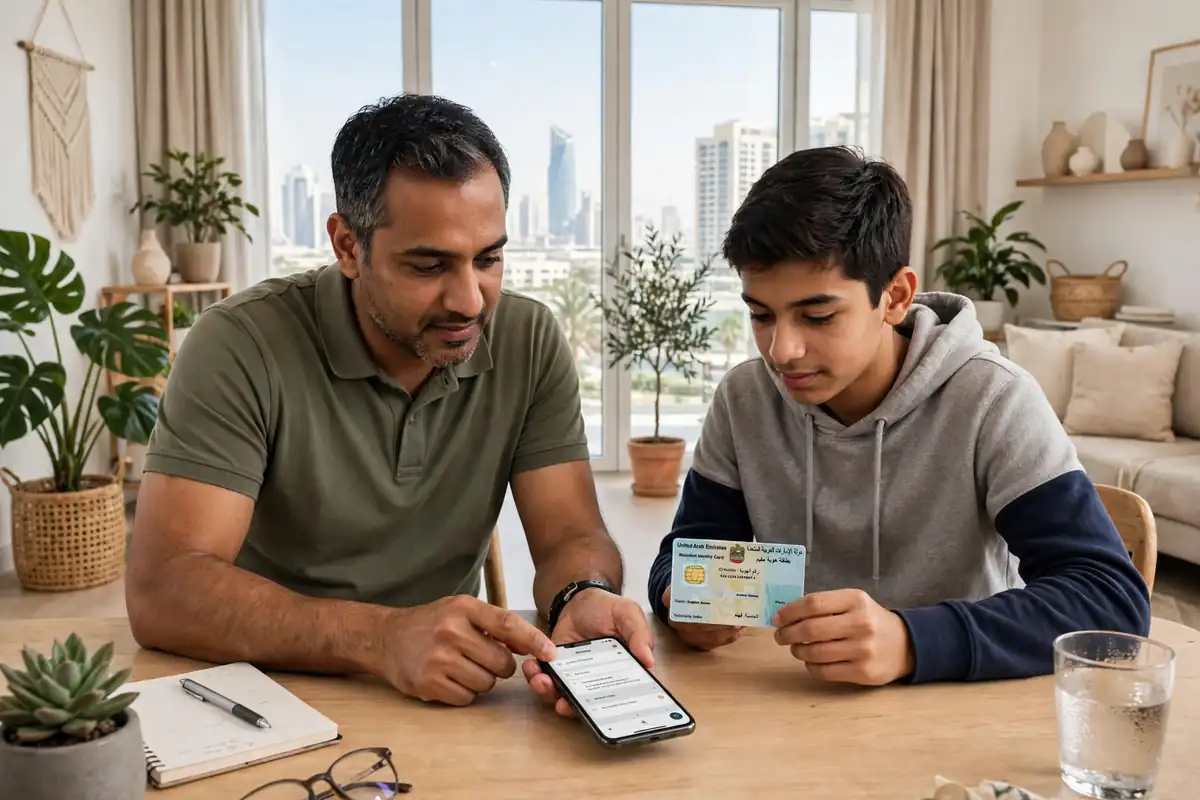
Your child needs a UAE Pass account. You want to set it up the right way. This page covers UAE Pass for children UAE parents set up with a guardian present. The steps follow the normal resident route. The child uses their own Emirates ID. A parent or guardian stays beside the child through each step.
Quick Answer: Download the UAE Pass app. Open it and pick the new account option. Scan the child's Emirates ID. Type the child's details exactly as the card shows. Confirm the mobile number and email with the codes. Set a PIN. Finish the face check with the child present. A guardian should hold the phone during the whole setup.
What UAE Pass for children UAE really means
UAE Pass is the national digital identity of the UAE. One login opens thousands of government and private services. Citizens, residents and visitors can register. Residents register with a valid Emirates ID and an active UAE mobile number. Every resident child holds an Emirates ID. That card is the key to the child's account.
Here is the honest part. UAE Pass does not publish a separate page for children. Parents ask about UAE Pass for children UAE wide. The answer starts with the card. BoloSara24 checked the official UAE Pass pages on 29 November 2026. No child-only route appears on the site. The app shows the same steps for every Emirates ID holder. Parents follow those steps with the child beside them. The guardian handles the phone, the codes and the PIN.
Why does a child need UAE Pass at all? Schools, health services and government portals ask for it more each year. A teen who files a form alone needs their own login. A younger child mostly needs the parent's login instead. The parent manages the child's ICP services through their own UAE Pass account. The sponsor files for family members on ICP.
Who can register a child
A child with a valid Emirates ID can register. The guardian must be present. The guardian holds the phone. The guardian reads each screen. The child looks at the camera for the face check. The guardian types the codes. The child never shares the PIN with friends.
What age works? UAE Pass lists no minimum age on its public pages. The account follows the Emirates ID, not an age rule. A newborn holds an Emirates ID too. A newborn still needs no account. Wait until the child needs a service. A teen of 15 or 16 gains the most from their own account. Younger kids gain little from one. If the child passport is lost, read UAE emergency passport first.
Example: Layla is 16 and lives in Abu Dhabi. She needs UAE Pass for her school portal and her health app. Her father sits with her. He scans her Emirates ID. She looks at the camera for the face check. He sets the PIN with her. She now logs in alone. Her father keeps a note of the recovery details at home.
Example: Omar is 8 and lives in Dubai. He needs no UAE Pass account yet. His mother files his ICP papers with her own UAE Pass. She books his clinic visits with her login. She will set up his account when he turns 13 or 14. That age fits his school needs better.
UAE Pass for children UAE steps in the app
Keep the child's Emirates ID card in hand. These steps set up UAE Pass for children UAE wide in one sitting. Keep your own phone charged. Keep your email open on the same phone. The app sends codes to both the mobile and the email.
- Download the official UAE Pass app from the App Store or Google Play.
- Check the publisher name before you install. Fake apps steal codes.
- Open the app and pick the new account option.
- Read the terms and tap accept.
- Scan the child's Emirates ID, front and back.
- Check the details the app fills in. Fix any wrong letter.
- Type a mobile number that can take SMS codes.
- Type an email address the guardian can open.
- Enter the code from the text message.
- Enter the code from the email.
- Set a four digit PIN. Pick one the child can recall.
- Finish the face check with the child in good light.
The face check links the child's face to the card. Hold the phone steady. Ask the child to look straight at the camera. Take off hats and dark glasses. Bright light from a window helps. You can try a failed face check again.
How to Apply: Use the guardian's mobile number and email for the codes. The child may have no phone of their own. The guardian's number keeps the account safe. Change the contacts later when the child gets a phone.
The guardian role after setup
Setup ends the easy part. The guardian role for UAE Pass for children UAE accounts starts next. The guardian keeps the recovery details safe. The guardian helps when the child forgets the PIN. The guardian checks login alerts on the phone. The guardian teaches the child to reject strange approval requests. BoloSara24 suggests the guardian keeps the recovery email active and checks it each month.
Never share the PIN with anyone. UAE Pass never asks for the PIN by phone, email or message. A caller who asks for the PIN is a fraud. Teach your child this rule early. A child who knows the rule stays safe.
Keep the account on one phone. A second phone adds risk. If the child gets a new phone, use the recovery steps in the app. Pick the "I have an account" option. Verify with the codes. Set the PIN again. The old phone loses access after the move.
Note: The guardian should not sign papers with the child's account. The child's digital signature belongs to the child. School forms may need the parent's own signature instead. Ask the school which signature it wants.
Verified account and kiosk option
A basic account lets the child log in to some services. A verified UAE Pass for children UAE account opens more. Verified accounts are only for Emirates ID holders. Your child holds an Emirates ID. The face check in the app can lift the account to verified level. Some services still ask for a kiosk visit. Renew the residence first when it ends. Read renew UAE family visa online for those steps.
A kiosk works when the app route fails. Find a UAE Pass kiosk through the official location finder. Take the child's Emirates ID card. Insert the card into the reader. Follow the steps on the screen. Set the PIN at the kiosk. Kiosks sit in malls and service centres across the emirates.
Digital signing needs a verified account. A child rarely needs to sign a legal paper. The signing password comes after verification. The app asks for it during the verification step. Skip it if the child needs no signing yet. Add it later when a real need comes.
Read UAE visa for children on BoloSara24 for the residence file that sits behind the child's Emirates ID. Read passport for child UAE if the child passport needs renewal first. Read update Emirates ID with bank in UAE when the child's bank asks for the new card details.
Common mistakes parents make
Most trouble with UAE Pass for children UAE setup comes from rushed steps. Slow down. Read each screen. Keep the guardian present at every step. BoloSara24 lists the kiosk option in this page because the app route fails for some children.
Common Mistakes: Setting up the account on the child's friend's phone. Using a mobile number that no one can open. Skipping the face check. Sharing the PIN with the child’s friends. Creating a second account when the first one locks.
Do and Dont: Do set up the account with the child beside you. Do use the guardian's number and email. Do teach the PIN rule on day one. Don't create an account for a baby who needs none. Don't pay anyone to activate the account. Registration is free.
Important: UAE Pass is free. There is no charge to register or to use it. Anyone who asks for money to activate an account is a fraud. Report the number and block it.
Fees: No fee applies to a UAE Pass account for a child. The app costs nothing. The kiosk costs nothing. The PIN reset costs nothing.
Frequently Asked Questions
Can a child get a UAE Pass account in the UAE?
Yes. A child with a valid Emirates ID can register in the UAE Pass app. A guardian must be present. The guardian holds the phone and handles the codes. The child takes the face check. UAE Pass lists no separate child page, so the normal resident steps apply.
What papers does a child need for UAE Pass?
The child needs a valid Emirates ID card. The guardian needs a mobile number that takes SMS codes and an email address. The app may ask for the child's details exactly as the card shows them.
Does a child need a guardian for UAE Pass?
Yes. A guardian should stay present through setup. The guardian reads the screens, types the codes and sets the PIN with the child. The guardian also keeps the recovery details safe at home.
Can a child verify their UAE Pass account?
Yes. Verified accounts are open to Emirates ID holders. The child holds an Emirates ID. The face check in the app or a kiosk visit can verify the account. Digital signing needs a verified account.
Is UAE Pass free for children?
Yes. Registration costs nothing. Use costs nothing. The kiosk costs nothing. Never pay anyone who offers to activate an account for a fee.
What if the child's face check fails?
Try again in bright light with the phone steady. Take off hats and dark glasses. Ask the child to look straight at the camera. If it still fails, visit a UAE Pass kiosk with the child's Emirates ID card.
Official Sources
UAE Pass, Official home page, app download links, account recovery and kiosk finder.
TDRA Digital Government, UAE Pass, Who can register, Emirates ID and mobile rules, visitor route and app features.
UAE Government Portal, Emirates ID, Every citizen and resident must hold an Emirates ID. That rule covers children and newborns too.
ICP Smart Services, Family residence and Emirates ID services that a sponsor files for children.
Disclaimer: BoloSara24 is an independent guide. It has no link with UAE Pass, TDRA, ICP or the UAE Government. Rules can change. Check the official app and pages before you set up an account. This page gives general facts only. It is not legal or immigration advice.
Last Updated: 29 November 2026.