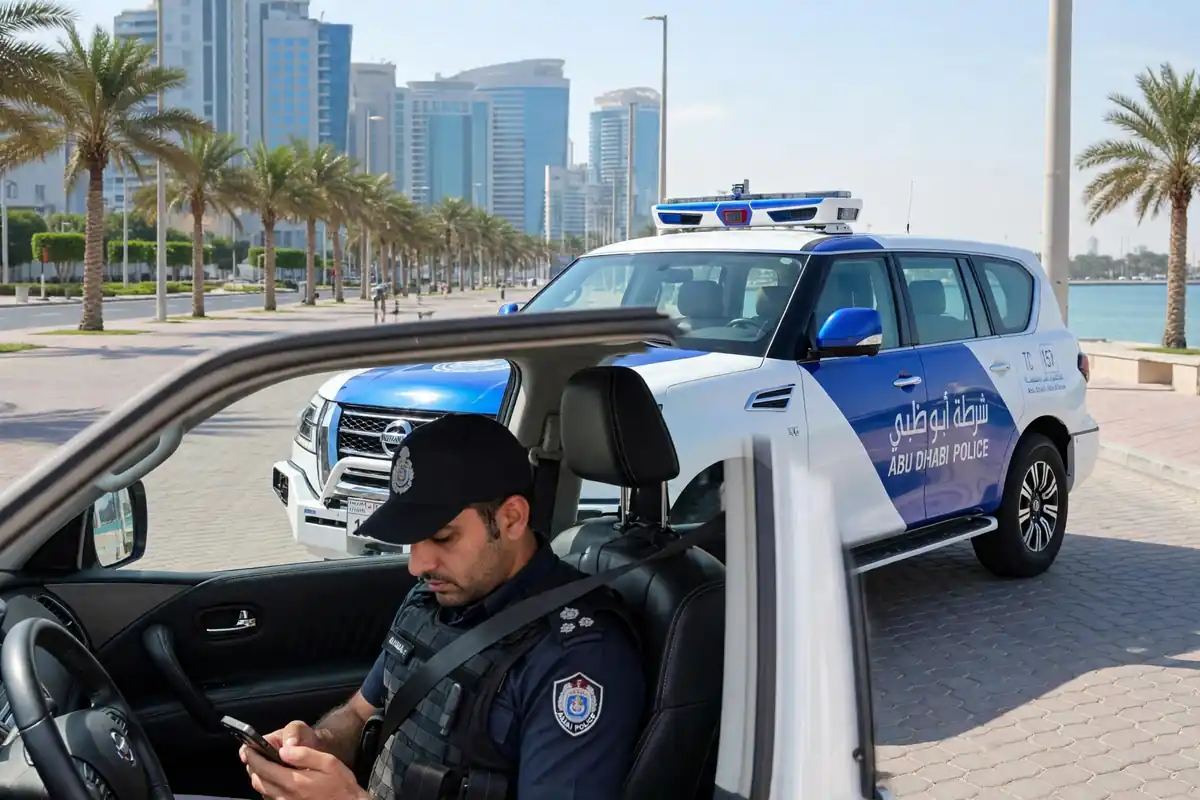
You drive in Abu Dhabi and a fine lands on your car. The Abu Dhabi Police app UAE drivers use lets you see it and pay it from your phone. You don't need to visit a station for most fines. You open the app, sign in, and the fines show on your screen. You can also report a small crash and ask for help. BoloSara24 checked the Abu Dhabi Police site and the u.ae fines pages on 29 November 2026. The app is free to download from the App Store and Google Play.
Quick Answer: Download the Abu Dhabi Police app. Sign in with UAE Pass or make a police account with your Emirates ID. Tap the fines box on the home screen. Pick the fine you want to pay. Pay by card and save the receipt.
What the Abu Dhabi Police App UAE Drivers Use Can Do
The Abu Dhabi Police app UAE drivers use is the mobile front door for Abu Dhabi Police. It holds traffic services, fines, reports, and permits in one app. You can check fines by plate number or traffic file number. You can pay fines by card. You can check black points on your licence. You can report a traffic crash. You can ask for a police clearance certificate. You can also find the nearest police station.
The app works for residents and visitors who drive in Abu Dhabi. A resident with a car registered in Abu Dhabi will see fines linked to that car. A driver with a licence from Abu Dhabi will see fines linked to the licence. The app pulls the facts from the police system. That is why the fine list is the same list the station sees.
Do you drive to Abu Dhabi each week for work? Then the app can save you a trip each time a fine lands. You check the fine at home. You pay it at home. You keep the receipt on your phone. That is the whole point of the app.
The app also links to TAMM. TAMM is the Abu Dhabi government services app. Many police services now sit on TAMM too. You can pay a fine on TAMM or on the police app. Both paths are official. Pick the one you find easy. BoloSara24 says pay on the channel that shows the discount you expect. Check the amount before you tap pay.
Download and Set Up the App
Download the app from the App Store on an iPhone or Google Play on an Android phone. Search for "Abu Dhabi Police". Check the publisher name before you tap install. The real app comes from Abu Dhabi Police. A copy app can steal your facts. The real app is free. Never pay to download it.
Open the app and pick English. The app opens in Arabic or English. Tap the language button if you need to switch. Then sign in. The easy path is UAE Pass. Tap the UAE Pass button and sign in with your UAE Pass PIN. The app then knows who you are. It can show your cars and your fines.
No UAE Pass yet? Make a police account instead. Tap Create a new account. Type your Emirates ID number. Type your mobile number. Type your car facts if the app asks. The app sends a code to your phone. Type the code and your account is live. Keep your Emirates ID next to you for this step. The app may ask for the traffic file number. That number sits on your car Mulkiya. It also sits on your licence.
Set a PIN or a fingerprint lock on the app. A lock stops a stranger from opening your fines if they pick up your phone. Pick a PIN you can recall. Don't use your birth year. Don't share the PIN with anyone. BoloSara24 says a lock takes ten seconds to set and it guards your car facts.
Check and Pay a Fine in the Abu Dhabi Police App UAE
Open the app and look at the home screen. Your total fines show in a box on that screen. Tap the box. A list of fines opens. Each fine shows the date, the place, the amount, and the black points. Read each line before you pay. A fine from a date you were not driving may need a check. Don't pay a fine you plan to dispute. Paying can close the dispute path.
Pick one fine or pick all of them. Tap Pay Now. The app asks for a card. Type your debit card or credit card facts. Check the amount one last time. Tap pay. Wait for the success screen. Save the receipt. The app lets you view the receipt after payment. Take a screenshot too. A receipt proves the fine is paid.
Abu Dhabi Police run an early payment discount on many fines. Pay within 60 days of the violation date and the fine drops by 35 percent on TAMM and on the police site. Pay after 60 days and up to one year and the drop is 25 percent. Serious violations do not get the discount. The discount shows in the amount before you pay. Check the amount on screen. If the discount you expect is missing, pay on TAMM instead. Reports say the discount shows on TAMM first. BoloSara24 checked this discount on secondary reports on 29 November 2026. The police site states the current discount. Check it on the day you pay.
Ahmed drives a car registered in Abu Dhabi. He got a speeding fine on Sheikh Zayed Road. He opened the Abu Dhabi Police app UAE drivers use on the same day. The fine showed with the date and the place. He paid within 60 days and the app showed the lower amount. He saved the receipt and the black points updated on his record. The whole job took five minutes at home.
You can also pay a fine for another person. You need their plate number or traffic file number. Type it in the inquiry box. The fines show. Pay by your card. Save the receipt and send it to them. That helps a family member who does not use the app.
Report a Crash and Ask for Help
A small crash with no injuries can be reported in the app. Open the app and find the crash report service. The app asks for the place, the time, and the cars in the crash. It may ask for photos of the damage. Take clear photos from four sides. Add the plate numbers of both cars. Send the report. The police check it and send a report number. You need that number for your insurance claim.
Don't move the cars if the crash blocks the road. Move them to a safe spot if you can. Call 999 if anyone is hurt. Call 999 if a car cannot move. The app is for small crashes with no injuries. An emergency needs a call, not an app form. Save 999 in your phone today.
Fatima had a small bump in a car park in Abu Dhabi. No one was hurt. She opened the app and reported the crash with photos. The police sent her a report number the same day. Her insurer asked for that number. She sent it by email and the claim moved ahead. She did not visit a station at all. That is how the app should work for a small crash.
Other Services in the App
The app holds more than fines. You can apply for a police clearance certificate in the app. That paper is also called a good conduct certificate. Employers ask for it. Visa offices ask for it too. The app asks for your Emirates ID and your purpose. Pay the fee in the app. The certificate comes to your email. Our page on the police clearance certificate for a domestic worker in UAE shows the same paper path for a worker.
You can check your traffic profile in the app. The profile shows your cars, your licence, and your black points. Check it once a month. A fine you missed can grow into a bigger problem. A monthly check takes two minutes. It can catch a fine before the discount window closes.
Fix Common App Problems
The app won't sign in. Check your UAE Pass PIN first. A wrong PIN locks the sign in. Update the UAE Pass app if it is old. An old app can fail at the sign in step. Restart your phone and try again. If it still fails, sign in on the Abu Dhabi Police site instead. The site uses the same account.
The fine list is empty but you know a fine exists. Wait a day. A new fine can take time to reach the app. Check on TAMM too. TAMM may show it first. Check by plate number and by traffic file number. One search path can miss a fine that the other path finds. If both paths show nothing after three days, call 901. That is the police non emergency number. That line can check your record.
Note: App menus change with updates. A button may move after an update. If you can't find a service, use the search box in the app. Type the service name in plain words. Search finds a moved button fast.
Stay Safe With the App
Download the app only from the App Store or Google Play. Never install it from a link in a message. A link can install a copy app. A copy app can steal your Emirates ID number and your card facts. Check the publisher name each time you reinstall the app.
Never share a one time code from the app or from UAE Pass. No police officer will ask for your code on a call. If a caller claims to be police and asks for a code, end the call. Call 901 and ask if the call was real. A real officer will never ask for your PIN or your code.
Pay only inside the app or on the official site. Never pay a fine through a link in a text message. A text link can lead to a fake payment page. Open the app yourself. Search for the fine yourself. That path is safe. BoloSara24 says a fine paid through a fake link is hard to get back.
BoloSara24 has more plain guides for UAE drivers. Read how to get a police clearance certificate for a domestic worker, how to use the GDRFA app in UAE, how to apply for a UAE visit visa online, rent increase rules in Abu Dhabi, and how to get a passport for a child in UAE.
Frequently Asked Questions
Is the Abu Dhabi Police app UAE free?
Yes. The app is free to download and free to use. You pay only the fine amount and the card fee if your bank charges one.
Can I pay a fine without UAE Pass on the Abu Dhabi Police app UAE?
Yes. You can make a police account with your Emirates ID and mobile number. UAE Pass is the easy path, but it is not the only path.
How do I check a fine by plate number?
Open the app and tap the fines box. Type the plate number or the traffic file number. The fines for that car show on the screen.
Does the Abu Dhabi Police app UAE show the early payment discount?
The discount shows in the amount before you pay on TAMM and on the police site. Serious violations do not get the discount. Check the amount on the day you pay.
Can I report a crash in the Abu Dhabi Police app UAE?
Yes, for a small crash with no injuries. Add photos and plate numbers. Call 999 if anyone is hurt or a car cannot move.
What do I do if a fine I paid still shows as unpaid?
Wait a day for the system to update. Check the receipt in the app. If it still shows unpaid after a day, call 901 with the receipt number.
Official Sources
Abu Dhabi Police. It is the official site of Abu Dhabi Police and links to the app and to traffic services.
UAE Government portal traffic fines page. It lists the official channels to check and pay traffic fines in the UAE.
Ministry of Interior. It runs the MOI UAE app and federal traffic fine services.
UAE Pass. It is the national digital identity used to sign in to the Abu Dhabi Police app.
u.ae home page. It is the official platform of the UAE Government and links to police and traffic services.
Disclaimer: Fine amounts, discounts, and app menus can change. Check the Abu Dhabi Police site and the app on the day you pay. This page gives general facts only. It is not legal advice. BoloSara24 is independent and has no link with Abu Dhabi Police or any office named here.
Last Updated: 29 November 2026.



