Home office setup in UAE homes needs more thought than a desk and a laptop. Thick concrete walls block Wi-Fi. Summer heat strains a small room. Two telecom firms run the whole market. BoloSara24 checked the live pages of du and e& on 29 November 2026 and wrote this plain guide from those pages.
Home Office Setup in UAE: The Short Answer
Home office setup in UAE starts with fibre internet. The UAE has two licensed home broadband providers, e& and du. Both run fibre to the home in most residential areas. Check which firm serves your building before you sign a contract. Pick a quiet corner with daylight. Buy a proper chair and a desk at the right height. Add a mesh Wi-Fi unit when the router signal dies in the next room. Keep a 5G mobile plan as a backup for the rare fibre outage. A good setup costs less than one lost client call. A home office adds to the monthly cost of living in Dubai UAE.
Quick Answer: Order fibre from e& or du. Place the desk near a window. Use a wired cable for the main work computer. Keep a mobile hotspot ready as backup.
Pick the Right Spot in the Flat
The spot matters more than the furniture. A good spot gives you light, quiet and a door you can close. A bad spot gives you noise, glare and a sore back.
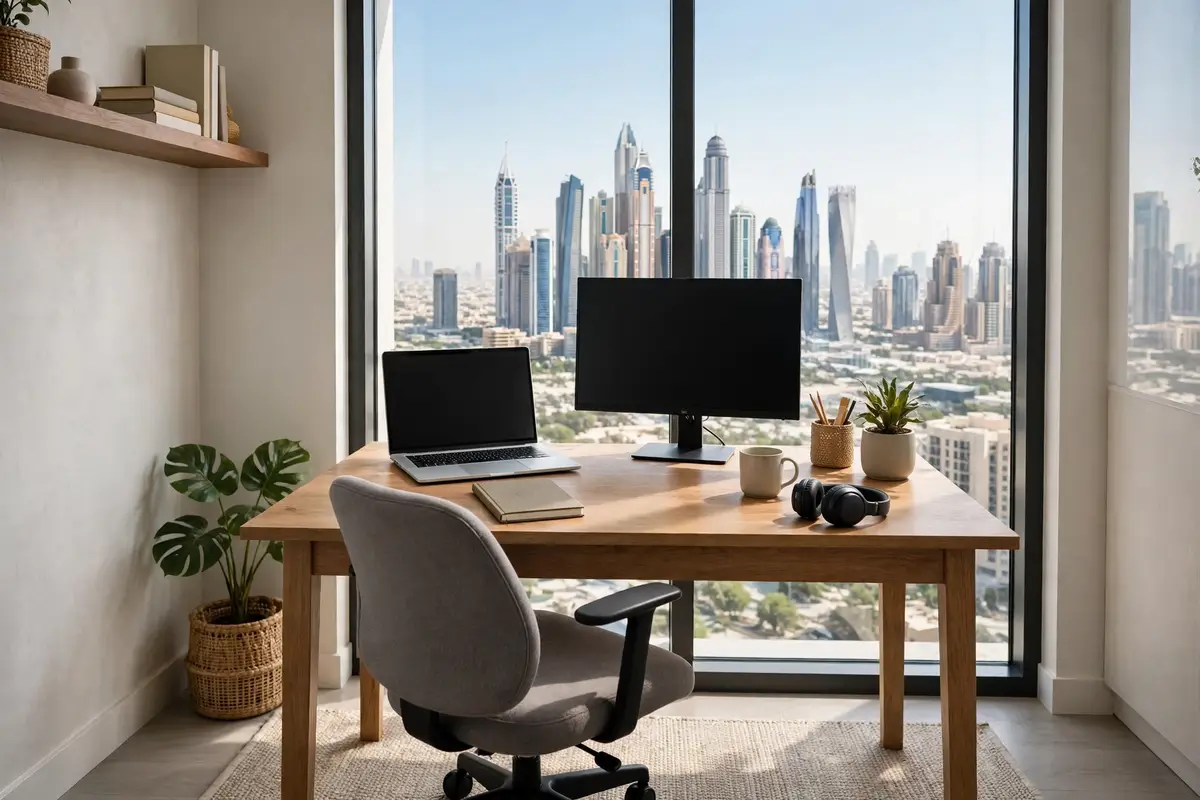
Pick a corner near a window. Daylight keeps you alert and cuts eye strain. Face the desk sideways to the window, not straight at it. A screen facing a bright window glares all afternoon. A screen with your back to the window throws your shadow on the keys. A side angle works best in most flats.
Pick the quietest room. A bedroom corner beats a living room desk when kids watch TV nearby. A spare bedroom works best when the flat has one. A balcony corner works in winter and fails in summer heat. A maid room often lacks a window and runs hot. Avoid it for full day work.
Measure the spot before you buy furniture. A desk needs at least 120 cm of width for a laptop, a monitor and a notebook. A chair needs 80 cm behind the desk to roll back. A shelf above the desk saves floor space in a small flat. Mark the floor with tape. Sit in the spot for ten minutes. A spot that feels fine for ten minutes can still fail after eight hours, so test it on a real work day before you fix the layout.
Home Office Setup in UAE Internet: Fibre First, 5G as Backup
Internet is the heart of a home office setup in UAE. Get it right and the rest is easy. Get it wrong and every call drops.
The UAE has two licensed home broadband providers. Etisalat, now branded e&, runs the older and wider network. It covers nearly all of Dubai, Abu Dhabi, Sharjah and the northern emirates. Du runs the second network. It is strong in Dubai Marina, JLT, Business Bay, DIFC, Dubai Hills and Town Square. Some buildings take only one provider. Check coverage for your exact building before you choose. E& lists coverage on its home page at home.eand.ae. Du lists coverage at du.ae/home.
Order fibre to the home when your building has it. Fibre handles long video calls, screen sharing and big file uploads with few drops. A 5G home router suits a short stay or a flat with no fibre line. Fibre stays the steadier choice for full time work. The technician visit takes one to two hours in most flats. Activation can take a day when the building already has fibre in place.
Keep these papers ready. Emirates ID. Ejari certificate or tenancy contract. Some providers ask for a DEWA account in your name. Apply online or in a store. The contract often runs for 12 or 24 months. Read the early exit fee before you sign. A cheap first month with a heavy exit fee is not a cheap plan.
Check the price on the provider page before you order. Plan prices change with offers. E& sells home fibre under the eLife brand. Du sells it as Home Internet with optional TV. Both firms add 5% VAT to the listed price. Ask for the total monthly bill with VAT in writing.
Tip: Ask the building manager which provider most neighbours use. A provider that works well in the tower next door can still fail in your tower.
Beat the Concrete Walls
Dubai towers use heavy reinforced concrete and blockwork to keep heat out. The same walls block Wi-Fi. A router in the living room often dies at the bedroom desk ten metres away. The fix is simple and cheap.
Place the router in the open, not inside a cupboard. A router locked in a TV cabinet loses half its signal. Put it high on a shelf near the centre of the flat. Keep it away from thick walls and metal shelves. Move it a metre and test the speed again. Small moves change the signal a lot.
Add a mesh Wi-Fi system for a flat with two or more bedrooms. A mesh set has two or three small units. One unit sits near the router. The other units sit in the far rooms. They pass the signal from one to the next. A single router suits a studio. A mesh set suits a family flat. Du home plans often come with a mesh router in the box. E& offers mesh add ons for larger homes.
Use a wired cable for the main work computer. An ethernet cable from the router to the laptop beats any Wi-Fi signal. It never drops on a call. It uploads big files faster.
Keep a mobile hotspot as backup. A 5G phone plan with a strong data pack covers a fibre outage. BoloSara24 suggests you test the hotspot speed at your desk before you need it. A hotspot that works near the window may fail at the desk. Note the best spot for it now.
The Desk and Chair for Your Home Office Setup in UAE
A cheap chair costs more than a good chair in the long run. Back pain from a bad chair steals work days. Spend the money once and sit right for years.
Pick a desk at 72 to 75 cm high. The height suits most adults. The screen top should sit at eye level. A laptop on the desk alone sits too low. A laptop stand lifts it to the right height. Add a separate keyboard and mouse when you use a stand. Your wrists stay straight and your neck stays level.
Pick a chair with lumbar support, adjustable height and armrests. The feet should rest flat on the floor. The knees should bend near 90 degrees. The lower back should touch the chair back. Test the chair in the shop for ten minutes. Mariam works from a one bedroom flat in Business Bay. She put the desk by the side window and the mesh unit in the hall. Her calls stopped dropping the same week. A chair that feels fine for two minutes can hurt after two hours.
Add a monitor when you work with sheets or code all day. A 24 inch monitor costs less than a week of lost time. Place it at arm length from your eyes. Add a small lamp for evening work. A warm desk lamp beats a harsh ceiling light for late calls.
Good to Know: A standing desk frame with a normal top works well in small flats. Stand for one call an hour. Sit for the rest. Your back will thank you by Friday.
Light, Heat and Noise
UAE homes fight three enemies at a desk. Glare, heat and noise. Each one has a cheap fix.
Glare comes from the afternoon sun. A sheer curtain cuts glare and keeps the daylight. A blackout curtain kills the light and your mood with it. Use a sheer curtain on the work window. Add a monitor hood or a screen filter when the sun still hits the screen.
Heat comes from a small room with a closed door. Set the AC to 24 degrees. Point the vent away from your face. A small fan on the desk moves the air without freezing the room. Keep the laptop off soft beds and sofas. A laptop on a blanket blocks its vents and heats up fast. A laptop stand lets air flow under it.
Noise comes from the road, the lift and the family. Close the door for calls. Use a headset with a noise cancelling mic. A cheap headset with a good mic beats a costly headset with a weak mic. Test the mic with a friend before an important call. A rug and a curtain cut echo in a bare room.
Power and Backup
Power cuts are rare in the UAE. Short power dips still happen. A dip resets the router and drops the call. A small backup fixes it.
Plug the router and the laptop charger into a surge protected strip. A power surge can kill a router in one strike. A strip with surge cover costs little. Add a small UPS for the router when your work cannot drop. A mini DC UPS keeps the router alive through a short dip. The call stays up while the lights blink.
Work Calls and UAE Rules
Some free calling apps do not work on UAE networks. WhatsApp voice and video calls stay blocked on most UAE networks. Plan around it. Use Zoom, Teams or Google Meet for work calls. Many people in work from home jobs in UAE need a quiet room for calls. These apps run fine in the UAE. Licensed calling apps also exist for personal calls. Check the current rules on the TDRA site before you pick one.
A Starter Budget for a Home Office
A good home office need not cost a fortune. These guide numbers cover a basic setup in Dubai in November 2026. Prices vary by shop and brand.
A mesh Wi-Fi set often costs AED 400 to AED 800. A laptop stand costs AED 80 to AED 200. A separate keyboard and mouse cost AED 150 to AED 300. A 24 inch monitor costs AED 500 to AED 900. A good chair costs AED 600 to AED 1,500. A desk costs AED 400 to AED 1,000. A headset with a good mic costs AED 200 to AED 500.
Note: Buy the chair in a shop, not online. A chair you cannot test is a chair you may return. A return costs time and delivery fees.
Frequently Asked Questions
What internet do I need for a home office in UAE?
For a home office setup in UAE, fibre to the home from e& or du suits full time work. It handles video calls and big uploads with few drops. Keep a 5G mobile hotspot as backup for outages.
Which home internet provider is best in Dubai?
It depends on your building. E& covers nearly all areas. Du is strong in Marina, JLT, Business Bay and Dubai Hills. Check coverage for your exact building on the provider page.
How do I fix weak Wi-Fi in my UAE home office?
Move the router into the open and near the centre of the flat. Add a mesh Wi-Fi set for far rooms. Use a wired cable for the main work computer.
What papers do I need for home internet in UAE?
You need Emirates ID and the Ejari certificate or tenancy contract. Some providers ask for a DEWA account in your name. Apply online or in a store.
Do WhatsApp calls work for home office calls in UAE?
WhatsApp voice and video calls stay blocked on most UAE networks. Use Zoom, Teams or Google Meet for work calls. Licensed calling apps exist for personal calls.
How much does a home office setup cost in UAE?
A basic home office setup in UAE often costs AED 2,000 to AED 4,000 with a good chair, a desk, a monitor and a mesh Wi-Fi set. Start with the chair and the internet, then add the rest.
Official Sources
BoloSara24 checked each page below on 29 November 2026.
du Home Internet: du lists its home internet plans, coverage check and store locations.
Etisalat by e&: Etisalat lists its home fibre plans under the eLife brand and its store network.
e& Home: e& home page lists fibre coverage and home broadband plans for UAE homes.
Disclaimer
BoloSara24 is an independent guide. It has no link with e&, Etisalat, du, TDRA or any government body. Facts in this guide were checked on the official pages named above on 29 November 2026. Plans and prices change, so confirm the current plan on the provider page before you sign. This guide gives general facts only. It is not legal, financial or telecom advice.
Last Updated: 29 November 2026.